ISSUE — Track Axis Trips 1–2 Seconds After Engagement
Summary
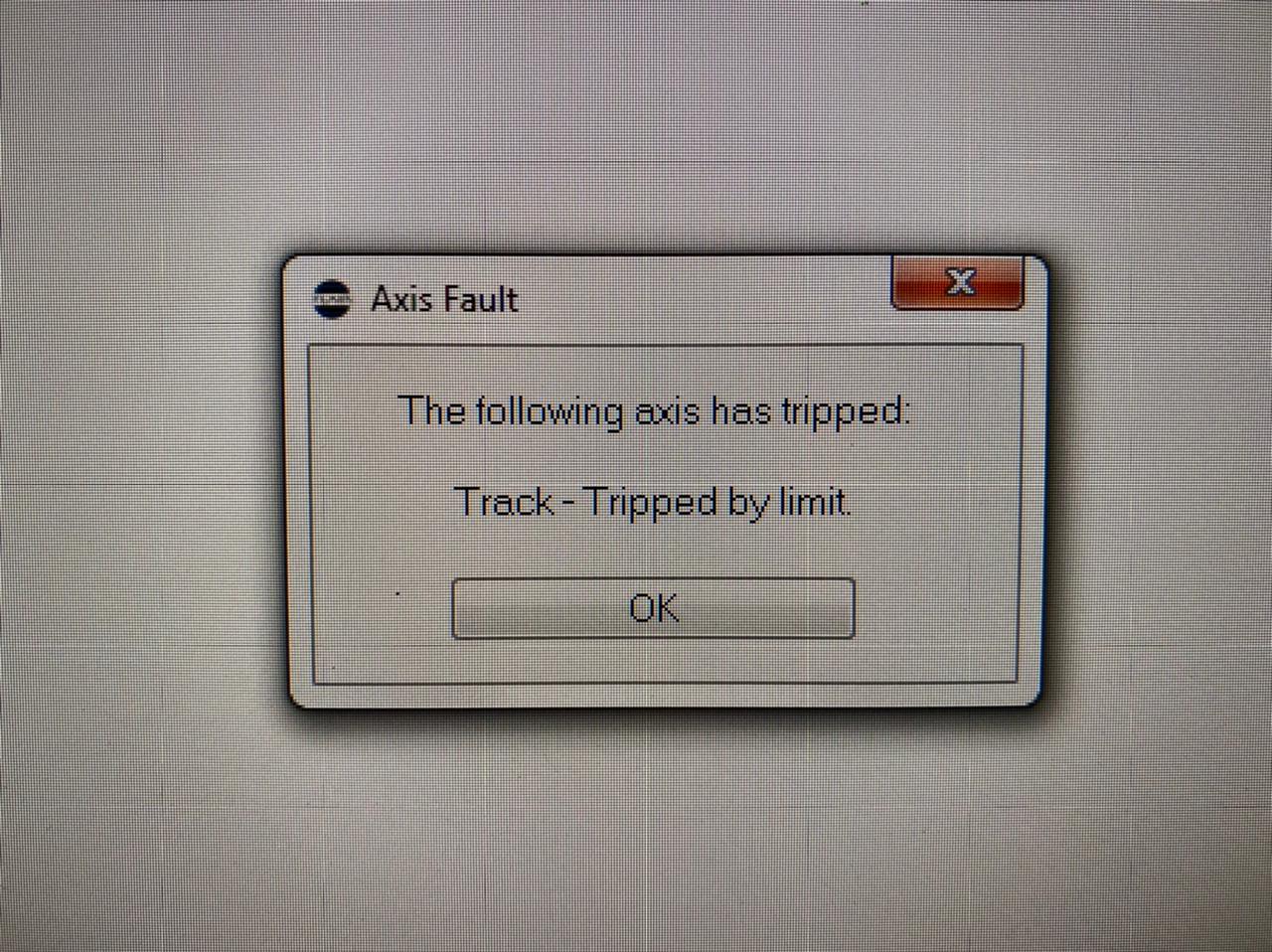
Track axis engages normally but trips after 1–2 seconds without being near any software or hardware limit. Common causes include a faulty, swapped, or disconnected limit or datum sensor, or a residual fault in the E-stop safety circuit. Checking sensor connections and pressing the green E-stop enable button followed by a full power cycle typically resolves it.
Symptoms
- Track axis engages but trips after 1–2 seconds, without reaching any hardware limits
- Can move for 1–2 seconds before tripping again
- Not near software or physical limits
- Full reboot sometimes resolves; sometimes does not
- New limit sensor does not always fix it
- Issue appears to resolve after pressing the E-stop green/enable button + full reboot
Systems Affected
- Bolt on Track (Sebastian Opitz — confirmed)
- Bolt Jr — related all-axes variant (Nathan Osche)
Software Environment
Possible Causes
- Limit or datum sensor fault, damage, or loose connector
- Datum sensor swapped with limit sensor (common wiring mistake)
- E-stop / safety circuit in a fault state not fully cleared
- Transient hardware power issue
Solutions
Solution A — Check limit and datum sensor connections
Contributor(s): ~ Riley Morgan, ~ Niko, Timothy Heys Cerchio — 2021-12-02
Steps
- Check the limit sensor is securely connected and undamaged.
- Verify the datum (home) sensor is not swapped with the limit sensor connector.
- Swap for spare limit sensors if available.
- Power cycle the robot fully (off, wait 10 seconds, on) — not just a Flair restart.
Notes
"It does this if you're on your limit, gives you 1s to get off it before disengaging." — Riley Morgan
"Are you sure you haven't swapped your limit sensors or pinch-wheel wires? Like Datum for Limit and vice versa?" — Timothy Heys Cerchio
"Check if the limit sensor is not disconnected or even damaged, swap both for the spare ones." — Niko
Solution B — Press green E-stop enable button, then full power cycle
Contributor(s): ~ Sebastian Opitz — 2021-12-02
Steps
- Press the green enable/reset button on the main E-stop box.
- Perform a full power cycle (everything off, wait, power on).
- Re-engage the track axis.
Notes
"Pushing the green button on the main estop did the trick. A full reboot revived everything. Still weird why it tripped in the first place." — Sebastian Opitz
The underlying cause in this instance was not identified — resolved transiently.
Solution C — Limit override (emergency only)
Contributor(s): ~ Riley Morgan — 2021-12-02
WARNING — Bypass of safety limits
Limit override disables the safety limit circuit. Only use in an emergency when the robot is confirmed safe, and disable override immediately after repositioning.
Steps
- Open Setups -> Axis Setup, select the Track axis, and enable limit override temporarily in the limit / axis safety controls.
- Reposition the robot to a safe location.
- Disable limit override immediately.
Timeline
| Event | Date | Contributor |
|---|---|---|
| First reported | 2021-12-02 | ~ Sebastian Opitz |
| Resolved — green E-stop button | 2021-12-02 | ~ Sebastian Opitz |
| Related Indrek D/A overflow report | 2022-09-16 | ~ Indrek |
Official Documentation
| Document | Section | Notes |
|---|---|---|
| Flair v7.4 Operator Manual | Axis setup — limit sensor | Not currently in repository; add page link when local manual is available. |
| Precision Track Quick Start Guide — p.40: limit/datum magnet mounting | Track assembly / limits | Official track limit and datum magnet placement reference. |
Related Media
Media Text / Description
- Media 1: Track/limit sensor setup during the incident where the track axis trips 1-2 seconds after engagement, even when not at a visible end stop.
WhatsApp Excerpts
[2/12/2021, 3:48:09 am] ~ Sebastian Opitz: Track axis trips 1s after engaging. Worked fine all day. Any ideas?
[2/12/2021, 3:50:22 am] ~ Riley Morgan: It does this if you're on your limit, gives you 1s to get off it before disengaging
[2/12/2021, 4:16:19 am] ~ Sebastian Opitz: 2 power cycles, new limit sensor, still same problem.
[2/12/2021, 4:23:20 am] ~ Sebastian Opitz: Working again
[2/12/2021, 4:30:11 am] ~ Sebastian Opitz: I think pushing the green button on the main estop did the trick. A full reboot revived everything. Still weird why it tripped in the first place.
Related Issues
- See also: Track Amplifier D/A Overflow Error
- See also: Track Axis Trips Due to Thermal Expansion of Rack (Hot Outdoor Environments)
- See also: Safety Systems chapter
Revision History
| Date | Change | Editor |
|---|---|---|
| 2026-05-24 | Initial extraction | Tom D / Claude Code |
| 2026-05-24 | Reformatted to CSS-tag template | Tom D / Claude Code |