Turntable Node Shows "Not Required" - Axis Assignment / File Setup
Summary
A turntable worked on one PC but errored on another using the same INI. The extracted diagnosis: check the referenced file/device setup, copy required files from the working PC, assign the turntable to an axis, and avoid IP conflicts. In network view, Not Required means the node is not currently assigned to an axis.
Symptoms
- Turntable works on one Flair PC but not another.
- Network/device view shows
Not Required. - Same INI does not fully reproduce the working setup.
- Node exists but is not assigned to a Flair axis.
Evidence
| Timestamp | User | Media | Evidence |
|---|---|---|---|
| 2022-12-01 07:58 | Francisco Aguila | 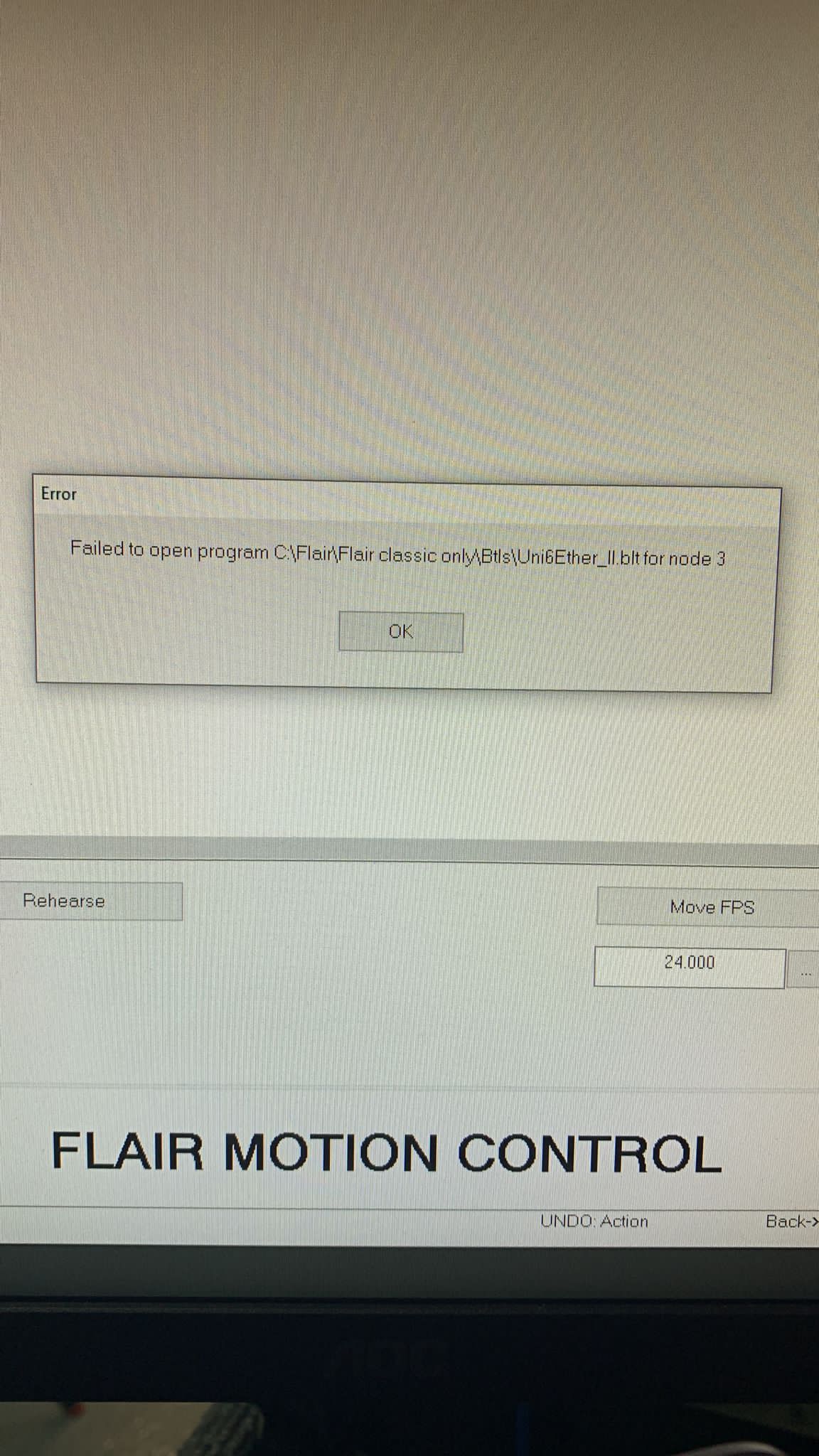 |
Visible text / image description: network/device view shows Not Required; turntable worked on one PC, same INI on another gave an error. |
Related Media
![[1/12/2022, 8:11:29 am] ~ Francisco Aguila: Could this be the problem, flair does not see the turntable, I think](https://robotfacestudios.s3.ap-southeast-2.amazonaws.com/MRMC/Whatsapp/260524+WhatsApp+Chat+-+Flair+Community+Chat/00013879-PHOTO-2022-12-01-08-11-29.jpg)
Media Text / Description
- Media 1: 2022-12-01 07:58 - Francisco Aguila: Visible text / image description: network/device view shows Not Required; turntable worked on one PC, same INI on another gave an error.
- Media 2: [1/12/2022, 8:11:29 am] ~ Francisco Aguila: Could this be the problem, flair does not see the turntable, I think
WhatsApp Excerpts
Not Required - Turntable Node Not Assigned To Axis
Visible screenshot text / image description: Network/device setup view showing a turntable node as Not Required, meaning the node is present but not assigned to a Flair axis.
[1/12/2022, 7:58:07 am] ~ Francisco Aguila: Does anybody knows why I'm getting this error, I'm trying to connect a turntable, it works in one pc but on the other one give me this error. I been checking the .ini file and they looks the same on both computers
[1/12/2022, 7:59:16 am] ~ Josh M: If you navigate to that folder is the file there? Maybe a permissions thing? Just copy the btl from the other computer, put it there, and try again
[1/12/2022, 8:08:18 am] Gordon Eschke: Try to copy the file from the working computer
[1/12/2022, 8:08:31 am] Gordon Eschke: Maybe it got corrupted somehow
[1/12/2022, 8:11:29 am] ~ Francisco Aguila: Could this be the problem, flair does not see the turntable, I think
[1/12/2022, 8:36:43 am] Gordon Eschke: Not required means it hasn't been assigned to an axis
[1/12/2022, 8:44:29 am] ~ Josh M: Make sure you don't have conflicting IP s
Community Solutions
[LIKELY] Copy Referenced Files From The Working PC
The INI may reference supporting setup/config files that are missing on the second PC. Compare the working and failing installs and copy required device/axis setup files.
Confidence: 0.74
[CONFIRMED] Assign The Turntable Node To An Axis
Not Required in Setups -> Network Setup means the node is not assigned to an axis. Open Setups -> Axis Setup and assign the turntable/device to the intended external axis.
Confidence: 0.86
[LIKELY] Check IP Conflicts
If multiple network devices are attached, confirm the turntable node IP in Setups -> Network Setup does not conflict with RT14, UltiBox, HyperDeck, or other fixed MRMC addresses.
Confidence: 0.72
Related Issues
- See also: MDrive / Stepper Motors - Use QuadBox, Not Direct Ulti Breakout
- See also: InTime Network — Reserved IP Addresses and Conflict Troubleshooting
- See also: Turntable People / Large Platform Loading