Flair 7 Quick Tips and Tutorials
Short Flair 7 workflow videos for importing moves, triggers, Graph View, keyboard shortcuts, focus calibration, Live View, exporting, HHB setup, and the Tracker App.
1. Flair 7 Quick Tips: Move Import

AI Summary
In this Flair 7 Quick Tips tutorial Matt shows you the Move Import feature.
For operators using this as a reference, the main focus is CGI matching, Maya workflows, import/export, mimic systems, and move programming, while it also touches on target tracking and zeroing. It should help when deciding which Flair workflow, robot behaviour, or setup area is relevant before opening the full video.
The practical setup context is that hardware referenced includes MIMIC, and software/version references include Flair 7, and the working environment is Flair 7. This helps connect the video to the rig, accessory, software environment, or workflow label an operator may already be working with.
The chapter links below provide 3 timestamped jumps into the main setup, demonstration, and workflow moments, making it easier to go straight to the section that matches the issue or task being investigated.
Chapters
2. Flair 7 Quick Tips: Output Triggers

AI Summary
In this Flair 7 Quick Tips tutorial Matt shows you the set-up of output triggers.
For operators using this as a reference, the main focus is move programming, pre/post-roll, and synchronization. It should help when deciding which Flair workflow, robot behaviour, or setup area is relevant before opening the full video.
The practical setup context is that hardware referenced includes TRIGGER_BOX, and software/version references include Flair 7, and the working environment is Flair 7. This helps connect the video to the rig, accessory, software environment, or workflow label an operator may already be working with.
The chapter links below provide 4 timestamped jumps into the main setup, demonstration, and workflow moments, making it easier to go straight to the section that matches the issue or task being investigated.
Chapters
3. Flair 7 Quick Tips: Graph View

AI Summary
In this Flair 7 Quick Tips tutorial Matt shows you the dynamic features of the graph view.
For operators using this as a reference, the main focus is axis limits, motion smoothing, move programming, pre/post-roll, and robot safety, while it also touches on spline behaviour, target tracking, and zeroing. It should help when deciding which Flair workflow, robot behaviour, or setup area is relevant before opening the full video.
The practical setup context is that hardware referenced includes CAMERA_RED, and software/version references include Flair 7, and the working environment is Flair 7. This helps connect the video to the rig, accessory, software environment, or workflow label an operator may already be working with.
The chapter links below provide 5 timestamped jumps into the main setup, demonstration, and workflow moments, making it easier to go straight to the section that matches the issue or task being investigated.
Chapters
4. Flair 7 Quick Tips: Keyboard Shortcuts

AI Summary
For the next few weeks, every Friday we'll be bringing you a new tutorial to help you make the most of our premier motion control software, Flair 7.
For operators using this as a reference, the main focus is track calibration. It should help when deciding which Flair workflow, robot behaviour, or setup area is relevant before opening the full video.
The practical setup context is that hardware referenced includes PRECISION_TRACK, and software/version references include Flair 7, and the working environment is Flair 7. This helps connect the video to the rig, accessory, software environment, or workflow label an operator may already be working with.
The chapter links below provide 5 timestamped jumps into the main setup, demonstration, and workflow moments, making it easier to go straight to the section that matches the issue or task being investigated.
Chapters
5. Flair 7 Quick Tips: Focus Calibration

AI Summary
In our latest Flair 7 quick tips tutorial, Matt takes you through how to calibrate the focus of your selected lens, allowing you to create a move and have the focus automatically pull to the target point!
For operators using this as a reference, the main focus is lens calibration, move programming, robot safety, spline behaviour, and target tracking, while it also touches on zeroing. It should help when deciding which Flair workflow, robot behaviour, or setup area is relevant before opening the full video.
The practical setup context is that software/version references include Flair 7, and the working environment is Flair 7. This helps connect the video to the rig, accessory, software environment, or workflow label an operator may already be working with.
The chapter links below provide 4 timestamped jumps into the main setup, demonstration, and workflow moments, making it easier to go straight to the section that matches the issue or task being investigated.
Chapters
6. Flair 7 Quick Tips: Live View Setup

AI Summary
This week Matt takes you through how to set up and use the Live View, and how the cartesian control buttons act as a visual guide to help you control the camera in 3D space, simplifying the tracking capabilities of Flair!
For operators using this as a reference, the main focus is move programming, robot safety, and target tracking. It should help when deciding which Flair workflow, robot behaviour, or setup area is relevant before opening the full video.
The practical setup context is that software/version references include Flair 7, and the working environment is Flair 7. This helps connect the video to the rig, accessory, software environment, or workflow label an operator may already be working with.
The chapter links below provide 5 timestamped jumps into the main setup, demonstration, and workflow moments, making it easier to go straight to the section that matches the issue or task being investigated.
Chapters
7. Flair 7 Quick Tips: Exporting a Move

AI Summary
In this week's Flair 7 Quick Tip Matt takes you through how to export a move from Flair in a variety of formats!
For operators using this as a reference, the main focus is CGI matching, EtherCAT, Maya workflows, import/export, and move programming. It should help when deciding which Flair workflow, robot behaviour, or setup area is relevant before opening the full video.
The practical setup context is that software/version references include Flair 7, and the working environment is Flair 7. This helps connect the video to the rig, accessory, software environment, or workflow label an operator may already be working with.
The chapter links below provide 4 timestamped jumps into the main setup, demonstration, and workflow moments, making it easier to go straight to the section that matches the issue or task being investigated.
Chapters
8. Flair 7 Tutorial: Creating a 3 Point Move by Rite
AI Summary
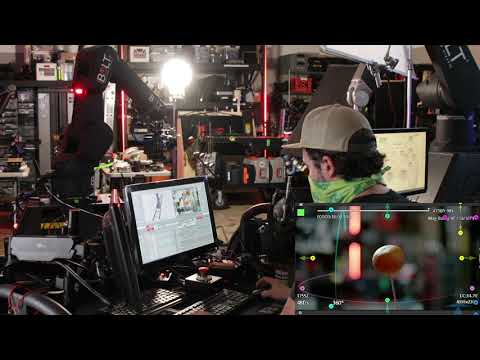
Rite talks us through creating a 3 point move in Flair 7.
For operators using this as a reference, the main focus is motion smoothing, move programming, spline behaviour, and track calibration. It should help when deciding which Flair workflow, robot behaviour, or setup area is relevant before opening the full video.
The practical setup context is that hardware referenced includes PRECISION_TRACK, and software/version references include Flair 7, and the working environment is Flair 7. This helps connect the video to the rig, accessory, software environment, or workflow label an operator may already be working with.
The chapter links below provide 6 timestamped jumps into the main setup, demonstration, and workflow moments, making it easier to go straight to the section that matches the issue or task being investigated.
Chapters
- 00:07 — today we're going to learn how to do a three-point move in flare 7.
- 01:31 — we go we can move using our carts and still be
- 02:49 — position one now if we look at our robot move up here it's just going in a
- 03:51 — we know that this is the peak of the move so maybe you want to tilt down a
- 04:42 — 88.1 because you're uh let's see your acceleration
- 06:23 — pretty close if we wanted to we could massage this move
9. Flair 7 Tutorial: Using Triggers by Rite

AI Summary
Rite talks us through using Triggers in Flair 7.
For operators using this as a reference, the main focus is move programming and synchronization. It should help when deciding which Flair workflow, robot behaviour, or setup area is relevant before opening the full video.
The practical setup context is that software/version references include Flair 7 and flair 7, and the working environment is Flair 7. This helps connect the video to the rig, accessory, software environment, or workflow label an operator may already be working with.
The chapter links below provide 2 timestamped jumps into the main setup, demonstration, and workflow moments, making it easier to go straight to the section that matches the issue or task being investigated.
Chapters
10. Flair 7 Quick Tips: Hand-held Box Configuration

AI Summary
In this Flair 7 Quick Tips tutorial Matt shows you the hand-held box setup and how to configure your USB controller for operating with Flair 7.
For operators using this as a reference, the main focus is HHB and zeroing. It should help when deciding which Flair workflow, robot behaviour, or setup area is relevant before opening the full video.
The practical setup context is that hardware referenced includes HHB, and software/version references include Flair 7, and the working environment is Flair 7. This helps connect the video to the rig, accessory, software environment, or workflow label an operator may already be working with.
The chapter links below provide 2 timestamped jumps into the main setup, demonstration, and workflow moments, making it easier to go straight to the section that matches the issue or task being investigated.
Chapters
11. Flair 7 Quick Tips: Customising the Main Window

AI Summary
Learn how to customise your main window layout and personalise your Flair experience.
For operators using this as a reference, the main focus is hot booting and move programming. It should help when deciding which Flair workflow, robot behaviour, or setup area is relevant before opening the full video.
The practical setup context is that software/version references include Flair 7, and the working environment is Flair 7. This helps connect the video to the rig, accessory, software environment, or workflow label an operator may already be working with.
The chapter links below provide 4 timestamped jumps into the main setup, demonstration, and workflow moments, making it easier to go straight to the section that matches the issue or task being investigated.
Chapters
12. MRMC Tracker App Features Reel

AI Summary
The MRMC Tracker App is your gateway to precision motion control filmmaking. The App empowers directors to capture and convey their vision effortlessly, using just an iPhone or iPad to frame and navigate a motion control shot.
For operators using this as a reference, the main focus is target tracking. It should help when deciding which Flair workflow, robot behaviour, or setup area is relevant before opening the full video.
The practical setup context is that the working environment is Flair 7. This helps connect the video to the rig, accessory, software environment, or workflow label an operator may already be working with.
The chapter links below provide 1 timestamped jumps into the main setup, demonstration, and workflow moments, making it easier to go straight to the section that matches the issue or task being investigated.
Chapters