Cinebot Mini Rotate Axis Trips — Robot-to-Controller Connector / UR Support File
Summary
If a Cinebot Mini repeatedly trips when moving only the rotate axis, first check whether the arm was stuck/moved during transport and whether the robot-to-controller connector is fully seated. If the error persists, MRMC Support advised collecting the UR support file and forwarding it for UR-level diagnosis.
Symptoms
- Cinebot Mini repeatedly trips with the same error.
- Error may stop after a few tries, then return.
- All other axes work; rotate axis trips every time it is moved.
Community Guidance
[LIKELY] Check physical obstruction, transport shift, and controller connector
2026-03-24 — Teodor Görtz / Navid Tansaz / Niko
- Check whether the arm got stuck during movement.
- Check whether the arm was moved out of position during transport.
- Reseat the connector from robot to controller.
- Retest only the rotate axis.
confidence_score: 0.72
[NEEDS_ESCALATION] Export UR support file
2026-03-24 — MRMC Support
If the rotate-axis trip remains, export the support file from the UR controller/base and send it to MRMC so it can be forwarded to UR with the error.
confidence_score: 0.72
Related Media
Media Text / Description
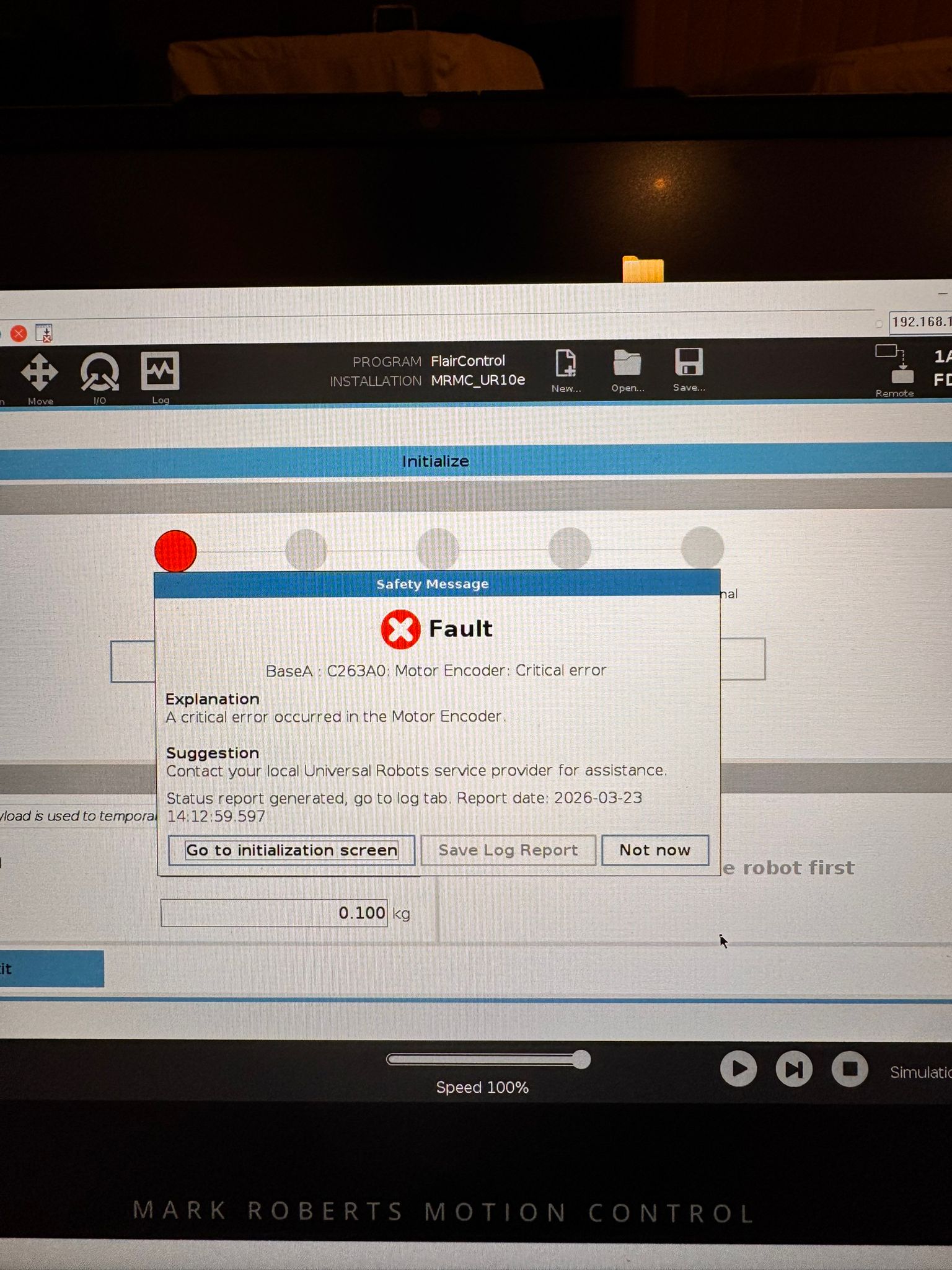
- Visible popup text: Safety Message - Fault. BaseA: C263A0: Motor Encoder: Critical error.
- Explanation shown on screen: A critical error occurred in the Motor Encoder.
- Suggestion shown on screen: Contact your local Universal Robots service provider for assistance.
- Status text shown on screen: Status report generated, go to log tab. Report date: 2026-03-23 14:12:59.597.
- Image description: Universal Robots / Cinebot Mini initialize screen with a motor-encoder critical-error dialog; support path was connector reseat and UR support-file export.
- Media 1: Visible popup text: Safety Message - Fault. BaseA: C263A0: Motor Encoder: Critical error. Explanation: A critical error occurred in the Motor Encoder. Suggestion: Contact your local Universal Robots service provider for assistance. Status text: Status report generated, go to log tab. Report date: 2026-03-23 14:12:59.597. Image description: Universal Robots / Cinebot Mini initialize screen with a motor-encoder critical-error dialog; support path was connector reseat and UR support-file export.
WhatsApp Excerpts
[24/3/2026, 12:53:24 am] ~ Teodor Görtz: Mini keeps tripping with this message
[24/3/2026, 1:26:16 am] ~ Navid Tansaz: Did the arm get stuck somewhere during a movement ? Or accidentally moved out of position while transporting ?
[24/3/2026, 1:42:36 am] ~ Teodor Görtz: I have no idea it stopped after a few tries 🤷♂️
[24/3/2026, 1:46:01 am] ~ Niko: Did you tried to check to adjust the keyboard configuration of your operative system?
[24/3/2026, 1:47:32 am] ~ Niko: I've seen that once, and to fix it, all I had to do was make sure the connector from the robot to the controller was properly seated.
[24/3/2026, 1:59:40 am] ~ Simon Wakley: Keyboard jog is not keyboard language aware. Sorry
[24/3/2026, 1:59:58 am] ~ Sebastien Renardet: Thanks !🙏
Related Issues
- See also: Cinebot Calibration Error After Reset — Limit / Protection Mode Suspect
- See also: Axis Reports Tripped Under Load — Model / Payload Pressure
- See also: InTime Not Starting or Robot Not Found After Boot