CS8 A Then U / Axis 1 Not Ready — EtherCAT Engage Fault
Summary
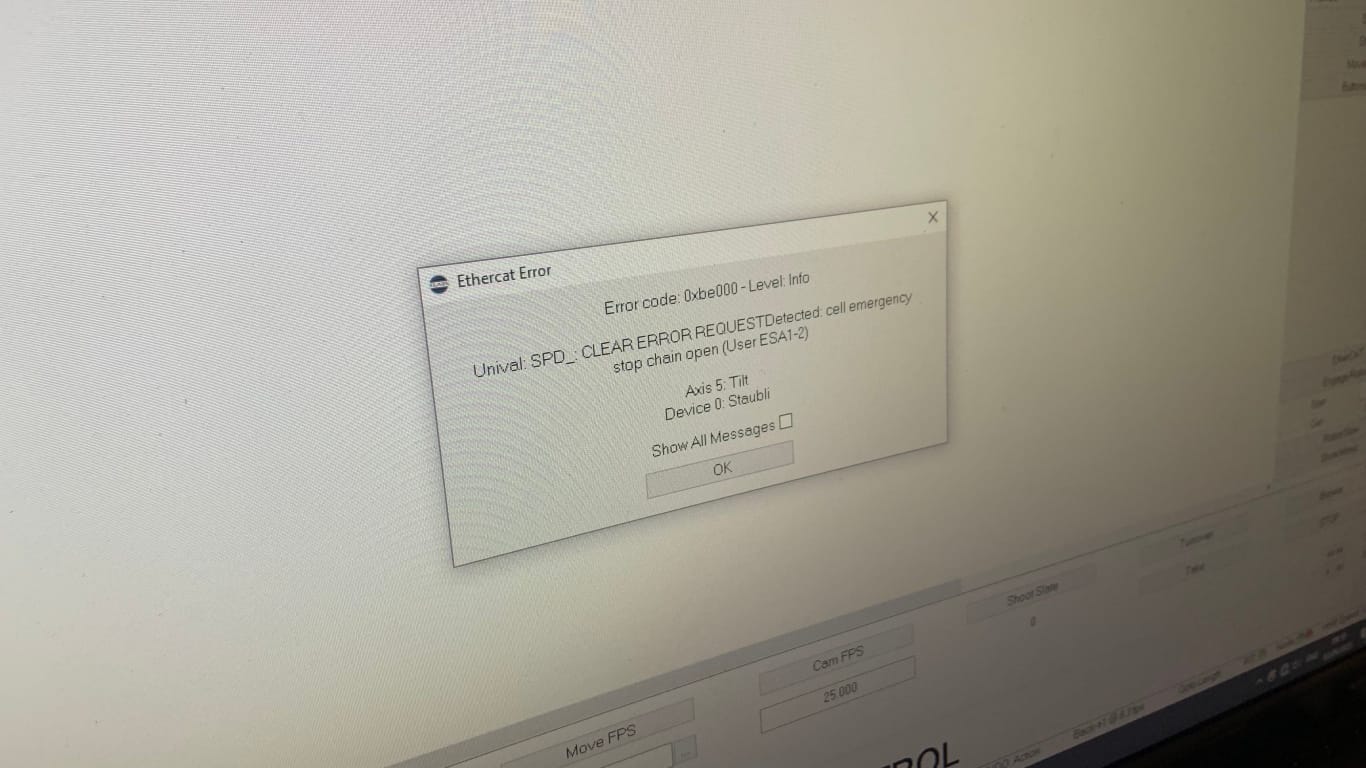
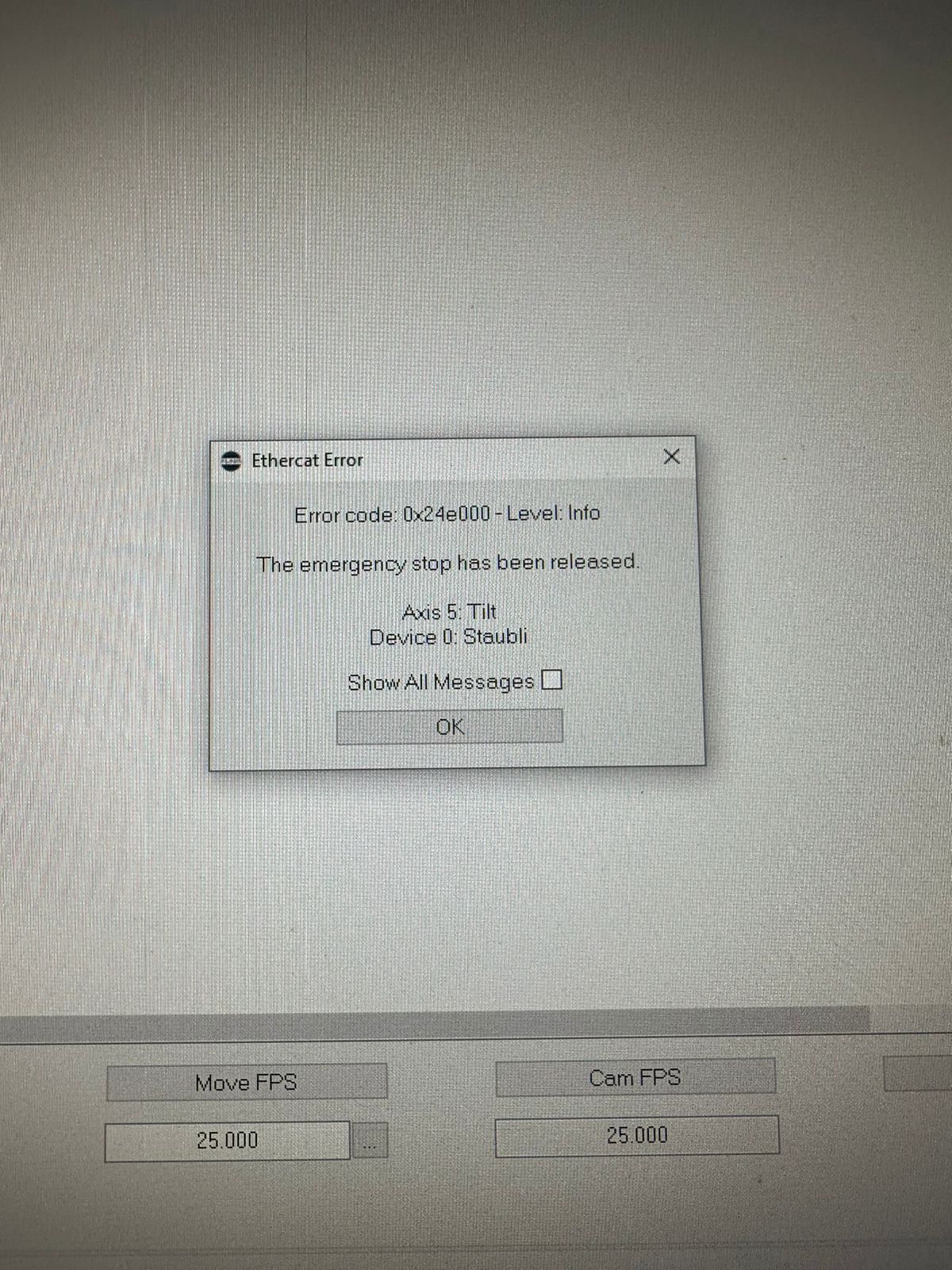
If the CS8 shows A when ready but changes to U when engaging and Flair reports Axis 1 not ready / EtherCAT error, treat it as a robot-controller communication problem until proven otherwise. The field thread checked pendant motion, network cables, E-stops, old jobs, track trip state, Ethernet connector damage, and the internal base connection. The operator eventually got running after using the Staubli pendant to move the axis again.
Symptoms
- CS8 displays
Abefore engage. - On engage, CS8 changes to
U. - Flair reports Axis 1 is not ready or EtherCAT error.
- Robot has been moved manually from transport to home.
- Track may show a secondary trip, but the main problem is engagement.
Community Guidance
[LIKELY] Verify pendant motion to separate robot fault from Flair/network fault
2023-06-03 — Michael deAnthony / Chavez.Camera
- Confirm CS8 reaches
Abefore booting the computer and Flair. - Try moving the robot with the Staubli pendant.
- If pendant motion works, treat the issue as a Flair/network/EtherCAT communication problem.
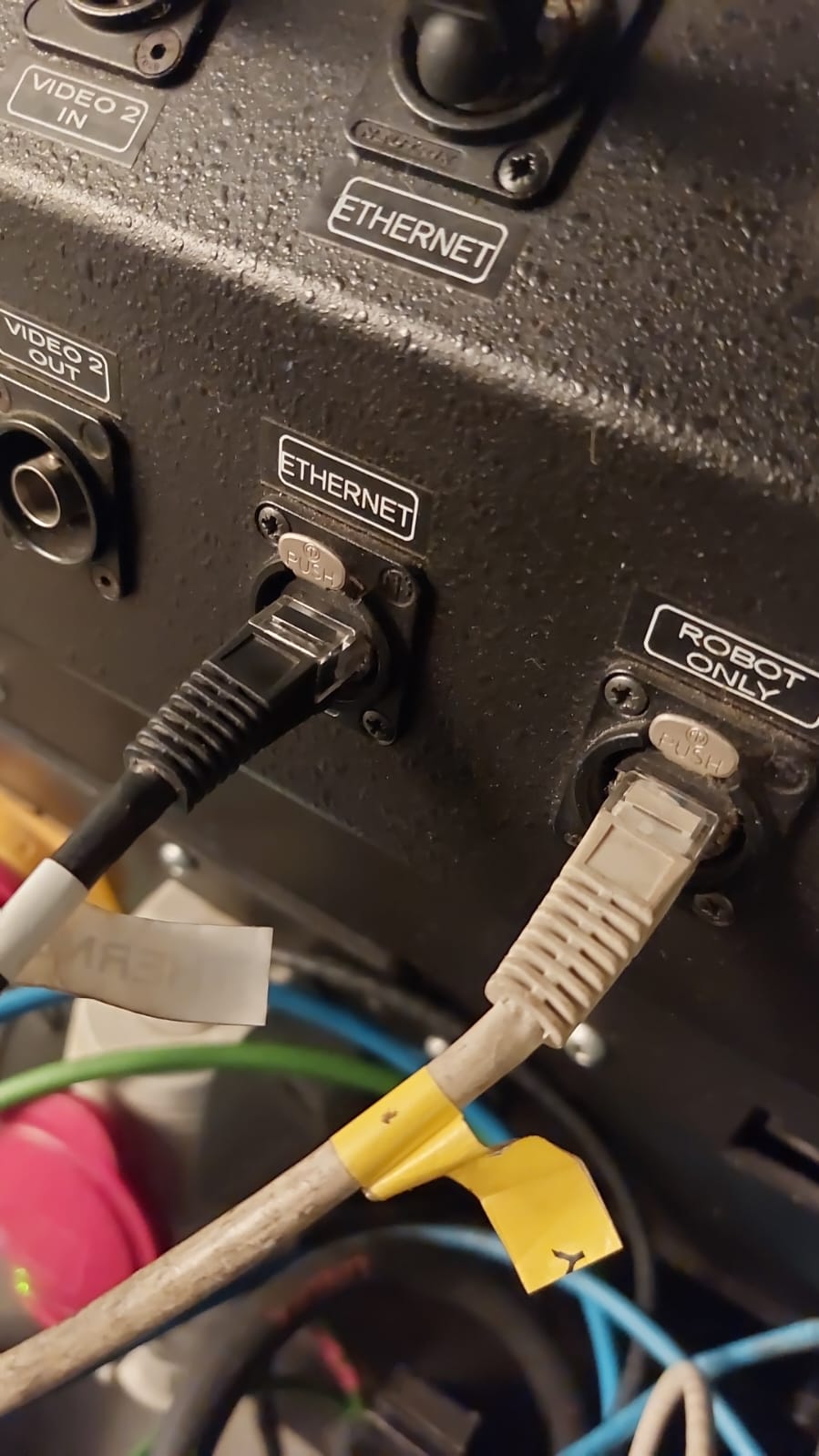
- Replace or reseat network cables, especially any twisted/broken Ethernet connector.
- Check the network connection inside the base from the CS8.
confidence_score: 0.78
[CONFIRMED FIELD OUTCOME] Pendant movement restored operation in this case
2023-06-03 — Michael deAnthony
The reporter confirmed: "I try using the Pendant again and try moving the axis using it. And somehow this time it works."
This is a field recovery, not a root-cause proof. Preserve it as a recovery step, then inspect cables/base network if it recurs.
confidence_score: 0.72
Related Media
Media Text / Description
- Image description: CS8 / Flair engage-error screenshots where CS8 shows A before engage, changes to U, and Flair reports Axis 1 not ready or EtherCAT communication fault.
- Media 1: Image description: CS8 / Flair engage-error screenshots where CS8 shows A before engage, changes to U, and Flair reports Axis 1 not ready or EtherCAT communication fault. Searchable terms: Axis 1 not ready; CS8 A then U; EtherCAT error on engage; pendant works Flair does not; broken ethernet head; connection inside base.
- Media 2: Image description: CS8 / Flair engage-error screenshots where CS8 shows A before engage, changes to U, and Flair reports Axis 1 not ready or EtherCAT communication fault. Searchable terms: Axis 1 not ready; CS8 A then U; EtherCAT error on engage; pendant works Flair does not; broken ethernet head; connection inside base.
- Media 3: Image description: CS8 / Flair engage-error screenshots where CS8 shows A before engage, changes to U, and Flair reports Axis 1 not ready or EtherCAT communication fault. Searchable terms: Axis 1 not ready; CS8 A then U; EtherCAT error on engage; pendant works Flair does not; broken ethernet head; connection inside base.
WhatsApp Excerpts
[3/6/2023, 12:05:25 pm] ~ Michael deAnthony: Okay now this message appears
[3/6/2023, 12:07:10 pm] ~ Michael deAnthony: Yes ive moved it from transport position to "home" manually. And ive already reseted the the whole system and the pendant, but the its still error
[3/6/2023, 12:11:17 pm] ~ Chavez.Camera: well if the pendant operates it must be a communication error. try replacing the network cables.
[3/6/2023, 12:15:01 pm] ~ Michael deAnthony: Okay I'll try it again
[3/6/2023, 12:30:47 pm] ~ Chavez.Camera: Wait for the A on the CS8 before booting the computer and flair.
[3/6/2023, 1:06:36 pm] ~ Galih Pambudi: Hi this is Galih who work with michael, we have tried to set up all the cable communication and bolt ready to use, the status in CS8 is A. However when I try to engage shows the Ethercat Error? is there any idea to solve this problem?
[3/6/2023, 1:07:55 pm] ~ Chavez.Camera: Did you reset all the emergency stops?
[3/6/2023, 1:10:05 pm] ~ Galih Pambudi: all reset already
[3/6/2023, 1:11:25 pm] ~ Chavez.Camera: try loading an old job, maybe some setting has been changed
[3/6/2023, 1:21:04 pm] ~ Galih Pambudi: i have tried to open the old job but the robot still cannot be engaged
[3/6/2023, 1:23:39 pm] ~ Galih Pambudi:
[3/6/2023, 1:27:42 pm] ~ Chavez.Camera: The track is tripped? Did you home zero?
[3/6/2023, 1:31:17 pm] ~ Galih Pambudi: actually the track is not a main problem, we can fix that, the problem is cannot be engaged
[3/6/2023, 1:38:18 pm] ~ Chavez.Camera: and axis 5 tilt is ok? I really have no idea
[3/6/2023, 1:43:54 pm] ~ .: Happened to me last week. The ethernet cable head (Robot) was broken.
[3/6/2023, 1:45:35 pm] ~ Michael deAnthony: Is it this Ethernet head?
[3/6/2023, 1:47:29 pm] ~ .: Yes. Sorry, not the robot one, the ethernet one. Somehow got twisted and wanst working.
[3/6/2023, 1:48:46 pm] ~ Galih Pambudi: actually we have changed with the new one twice still got a same warning but we will try with other cable again
[3/6/2023, 2:27:22 pm] ~ Chavez.Camera: have you checked the connection inside the base? from the CS8?
[3/6/2023, 2:39:52 pm] ~ Michael deAnthony: Okay, i got it working. I try using the Pendant again and try moving the axis using it. And somehow this time it works.
[3/6/2023, 2:40:23 pm] ~ Michael deAnthony: Thank you @~Chavez.Camera and everyone for your suggestions.
Related Issues
- See also: EtherCAT "Network Communications Not Running" — Systematic Troubleshooting
- See also: EtherCAT / InTime Cable Fault — CS8 and Node A Lights Missing
- See also: Flair Disengages but Robot Stays Engaged — YRC / Base Network Path