Cinebot Calibration Error After Reset — Limit / Protection Mode Suspect
Summary
A Cinebot Mini calibration error that appears repeatedly after resets may clear after another calibration attempt, but the likely cause is an axis being against a limit, going into protection mode, or being taken out of mesh and returned differently. This thread resolved operationally after the fifth calibration attempt but did not identify a permanent fault.
Symptoms
- Cinebot Mini repeatedly errors during calibration.
- Multiple resets do not immediately clear it.
- A later calibration attempt succeeds.
- User was running one motor and believed the lens was in the middle of travel.
Community Guidance
[LIKELY] Check limit/protection state and whether the motor was remeshed
2025-06-03 — Ante / MRMC Support
- Confirm the axis is not physically against a limit.
- Check whether it entered protection mode.
- Confirm the motor was not taken out of mesh and put back in a different position.
- Retry calibration once the axis is free and safely positioned.
- If it keeps returning, send a support file/report.
confidence_score: 0.68
Related Media
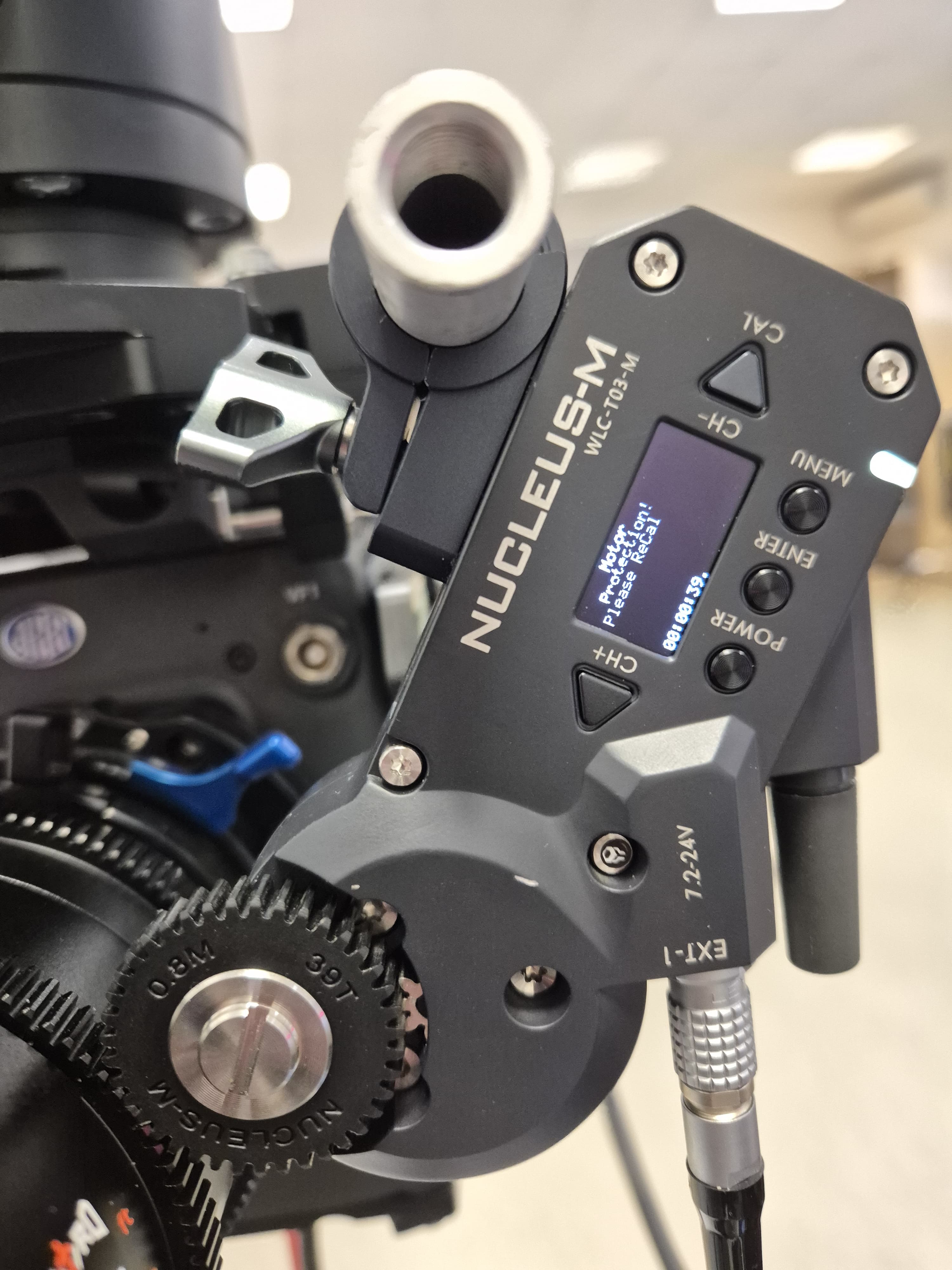
Media Text / Description
- Image description: Cinebot Mini calibration error screenshot after reset where repeated calibration attempts failed until the axis/protection/mesh state was checked.
- Media 1: Image description: Cinebot Mini calibration error screenshot after reset where repeated calibration attempts failed until the axis/protection/mesh state was checked. Searchable terms: Cinebot calibration error; calibrate after reset; axis protection mode; motor out of mesh; Cinebot Mini calibration keeps failing.
WhatsApp Excerpts
[3/6/2025, 6:42:27 pm] ~ Ante: Cinebot people help! I reseted multiple times and tried to calibrate but everytime im getting this error. Any idea what to do?
[3/6/2025, 6:43:53 pm] ~ Ante: I tried once more (like 5th time) and it calibrated normally
[3/6/2025, 6:45:02 pm] ~ MRMC Support: maybe you were against the limit and it went into protection mode? or you took it out of mesh and put it back differently
[3/6/2025, 6:45:53 pm] ~ Ante: Im running just one motor, but its fine now. Hope it stays like it. I was in middle of lens
[3/6/2025, 6:47:48 pm] ~ Ante: Another question, anyone worked with laowa swords? After 0.35 markings are just 0.5:1. Not sure how to enter the lens in Flair. Doesnt go beyond 1:1, but there are 5 markings bezween 0.35m and 1:1 magnification
[3/6/2025, 7:20:58 pm] ~ Peter Constan-Tatos: This is Timeslice, not on a motion control rig. You will never move fast enough. It can be approximated if you can support the subject and do all the other elements in post. A Timeslice rig can also have video in and out using a video camera on the first and last camera, with still shots in between.
[3/6/2025, 7:23:20 pm] ~ Mark: Okay interesting 👍🏼 thank you Peter :)
Related Issues
- See also: "Limit Too Close to ZM Pulse" Warning / Datum Magnet Placement
- See also: Focus Motor Trips — Limit Set Too Close to Mechanical Hard Stop
- See also: InTime Not Starting or Robot Not Found After Boot