Camera Orbital + Carts Mode Causes Rig to Drift (Target at Infinity)
Target Tracking Resolved All rigs BOTH
Summary
Switching into any Cartesian mode (Locked View, Locked World, etc.) while Camera Orbital tracking is active causes the rig to begin drifting slowly — the robot physically moves, not just the viewport. The drift stops when Carts is turned off, or when Tracking is switched from Camera Orbital to Target Tracking On. The root cause is that the focus axis is at infinity (maximum distance), which creates an invalid reference point for the Cartesian calculations. Newer versions of Flair (≥7.5) include an automatic fix: focus is pulled away from infinity when switching to Carts mode.
Symptoms
- Tracking mode is Camera Orbital, roll mode can be anything
- Switching to any Carts view (Locked View, Locked World, etc.) causes slow physical drift of the rig
- The Flair viewport shows camera moving; this is not a display artifact — motors are actually running
- Switching "Carts Off" stops the drift immediately
- Switching Tracking mode from Camera Orbital to "On" while in Carts also stops the drift
- Drift is consistent across reboots and job files; it is not a one-off glitch
- Focus axis shows "infinity" or very large distance in axis controls
Root Cause
The Cartesian solver needs a valid focus/target distance to compute the camera's position in 3D space. When the focus axis is at infinity (e.g. after a GOTO Home, which drives focus to its limit), the solver encounters invalid numbers and produces an erroneous velocity output — causing continuous small corrections that manifest as drift.
"When tracking mode set to 'camera orbital' and there is at least two points — when you enter any Cartesian mode — camera starts to drift slowly (robot moving as well, not just viewport bug). When you do 'carts off' drift stops. When you change tracking mode to 'on' from 'camera orbital' when in any carts mode — camera drift stops as well." — Alexander Kovalevsky (2024-11-06)
"It's a known weird behavior. What I do is try to avoid the combo that creates the problem." — Niko
The condition is triggered by the combination of Camera Orbital and focus at infinity, not Camera Orbital alone.
"Usually orbital, Cartesians, and as Ben said focus at infinity." — Niko (2024-11-06)
Resolution
Immediate fix — bring focus closer before entering Carts
Before engaging any Cartesian mode:
- Manually drive the focus axis to a closer position (e.g. 100–300 cm).
- Confirm the focus axis readout shows a realistic distance (not millions of cm).
- Then enter Carts mode.
"Try bringing target closer first." — Ben Myers (2024-11-06)
Switching from Camera Orbital → Target Tracking On
If drift is already occurring:
- Turn Carts Off immediately.
- In Setups -> Target Tracking Setup or the job's Job Type / Target Tracking controls, change Tracking Mode from Camera Orbital to Target Tracking: On.
- Re-enter Carts mode.
After GOTO Home
GOTO Home drives focus to its infinity stop. After any GOTO Home in Camera Orbital:
- Wait for Home to complete.
- Manually drive focus to a working distance before entering any Carts mode.
Update Flair (permanent fix)
Newer Flair versions (≥7.5.x) include an automatic fix:
"More recent versions of Flair7 have introduced an automatic pull of focus away from ♾️ (closer, or within mathematically usable range) when you switch to Cartesians." — Timothy Heys Cerchio (2024-11-07)
Updating to the latest Flair release removes the need for the manual workaround.
Evidence from Community Chat
"It stays consistent throughout multiple jobs and flair/full setup reboot. Now when I got it figured out — it's just a little thing to remember when programming for me. Flair 7.4.0 Beta 15." — Alexander Kovalevsky (2024-11-06)
"If you 'go to home' it will drive the focus to infinity. If you then start programming again, it doesn't matter what the target distance is at any of the waypoints, it matters what the focus axis is currently set to." — Ben Myers (2024-11-07)
"Target distance in both waypoints is set to 100cm. But in axis controls it's set to infinity for some reason." — Alexander Kovalevsky (focus at infinity despite waypoint values being correct)
Related Media
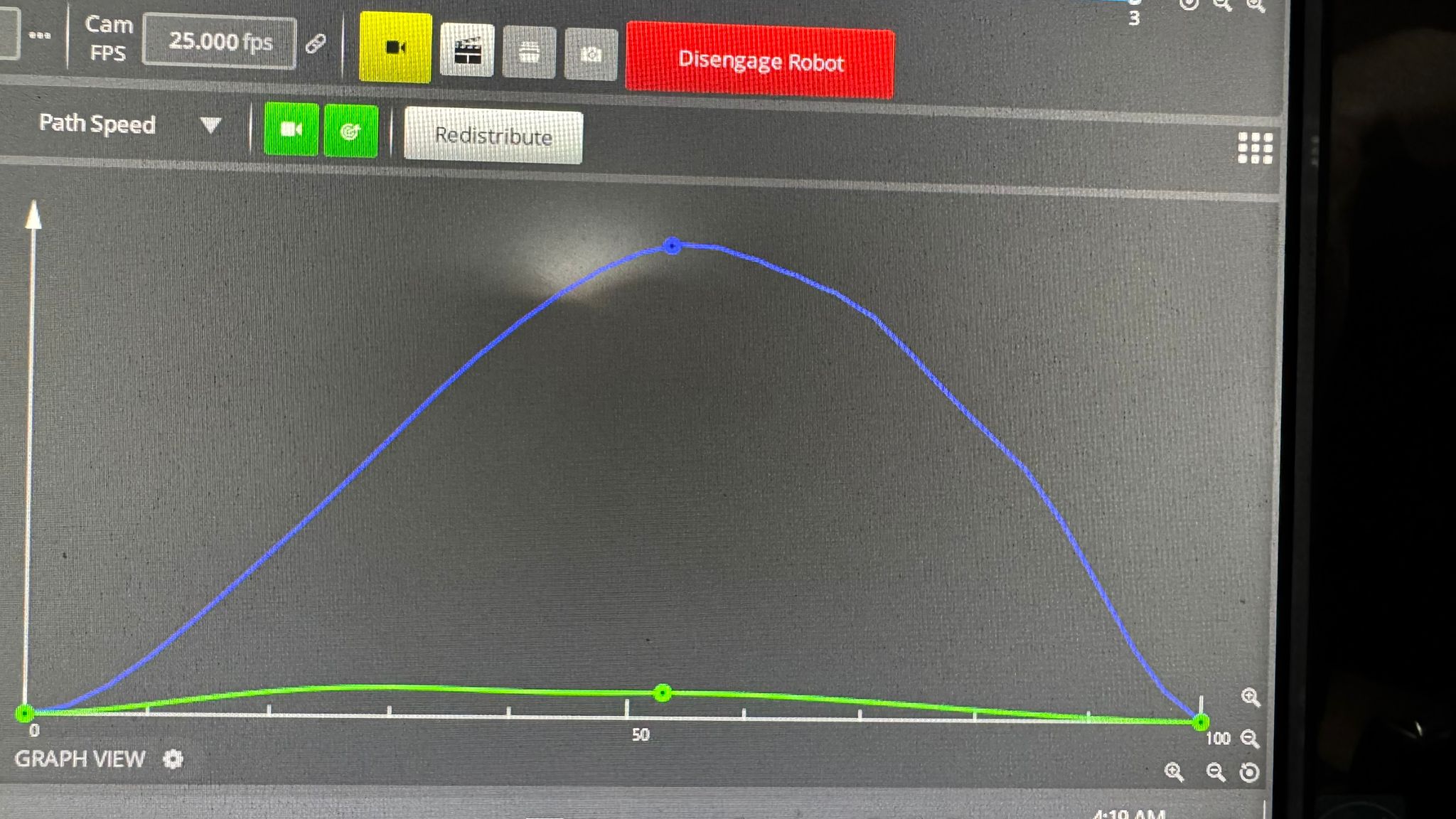
Media Text / Description
- Media 1: 2024-11-06 14:36 - ~ Michael deAnthony: So each and everytime i made an arcing shot (presumably 3 points move) the path speed from point 2-3 is always “not smooth” as 1-2. Target-wise. I measured each points exactly the...
WhatsApp Excerpts
- 2024-11-06 14:36 - ~ Michael deAnthony: So each and everytime i made an arcing shot (presumably 3 points move) the path speed from point 2-3 is always “not smooth” as 1-2. Target-wise. I measured each points exactly the same so it’s a same distance on every point Idk if this is because of the “nature” of Bolt Jr+. Or maybe there’s some settings i need to fiddle with Thankss
- 2024-11-06 20:33 - Timothy Heys Cerchio: In any case, any MRMC Triggers Box does have at least 2 (switch closure style) Input ports.
- 2024-11-06 22:03 - Ryan Fear MRMC: Hey, got some pretty sweet deals on VEO4K right now. DM me if anyone is interested. Can wrap it with a bow for Christmas.
- 2024-11-06 23:15 - ~ Александр Ковалевский: Hello! So, I had a “camera drift” problem on set and couldn’t figure out the problem. Today I did troubleshooting running the same job file from set and also creating new jobs. So, when tracking mode set to “camera orbital” and there is at least two points - when you enter any Cartesians mode - camera starts to drift slowly (robot moving as well, not just viewport bug). When you do “carts off” drift stops. When you change tracking mode to “on” from “camera orbital” when in any carts mode -...
Related Issues
- See also: FFT Focus Stuck at Maximum Distance — Must Set Focus Before Engaging Cart Control — FFT focus locked after engaging cart control (related: focus infinity issue)
- See also: Unexpected Large GOTO When Back-Running a Move — Cartesian Convert Trick — Unexpected GOTO on back-running (related: axis position mismatch)
- See also: Bolt Runs Unexpectedly in Carts After Switching from Camera Orbital — E-Stop Required — Bolt running unexpectedly after mode switch
Related Tutorials
▶ 00:38 — Switching between physical axes, Cartesian axes, and speed profiling in Graph View
Revision History
| Date | Change | Editor |
|---|---|---|
| 2026-05-24 | Initial extraction | Tom D / Claude Code |