Boot Warning Cleared by Reseating Network Cable
Summary
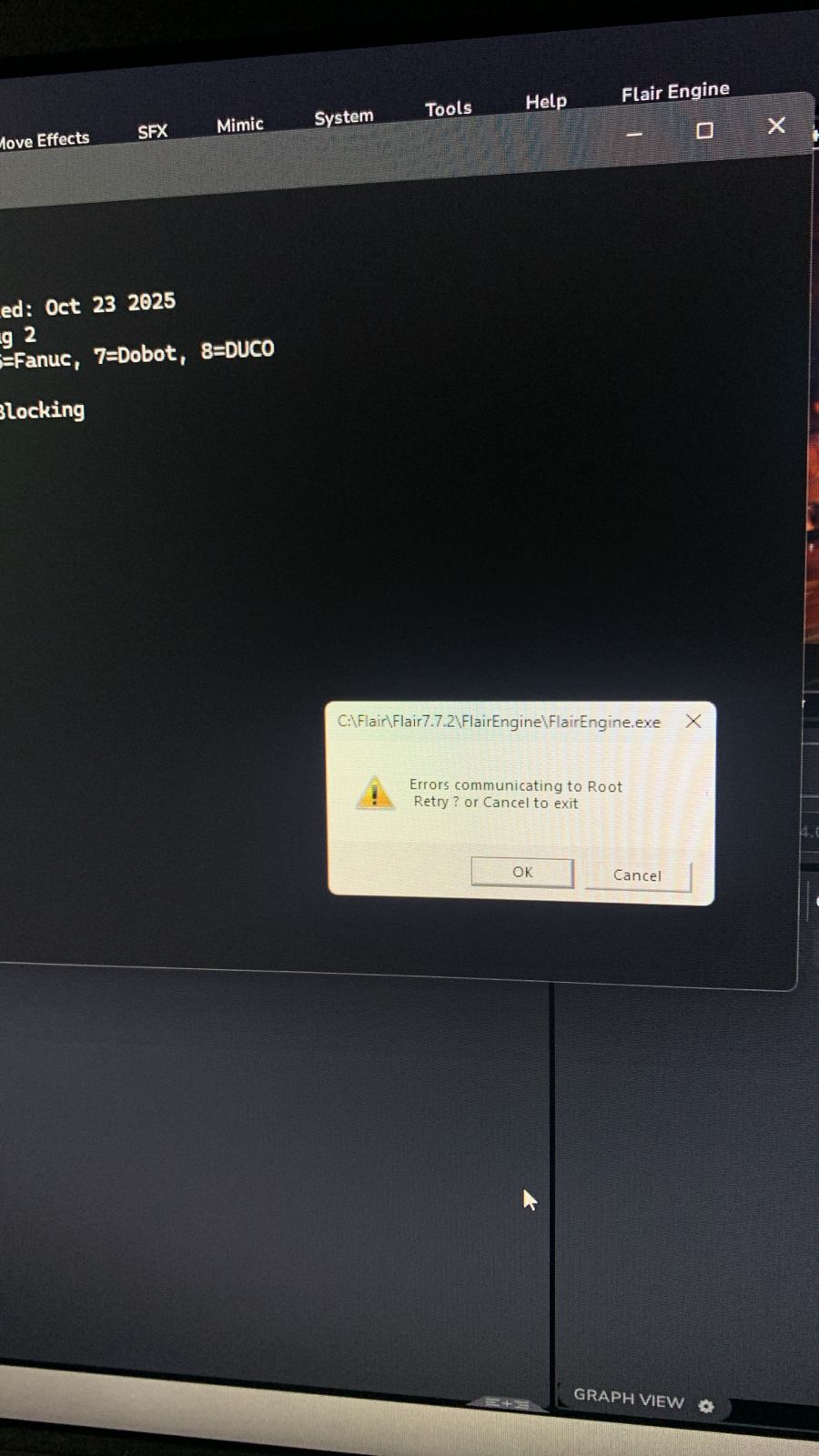
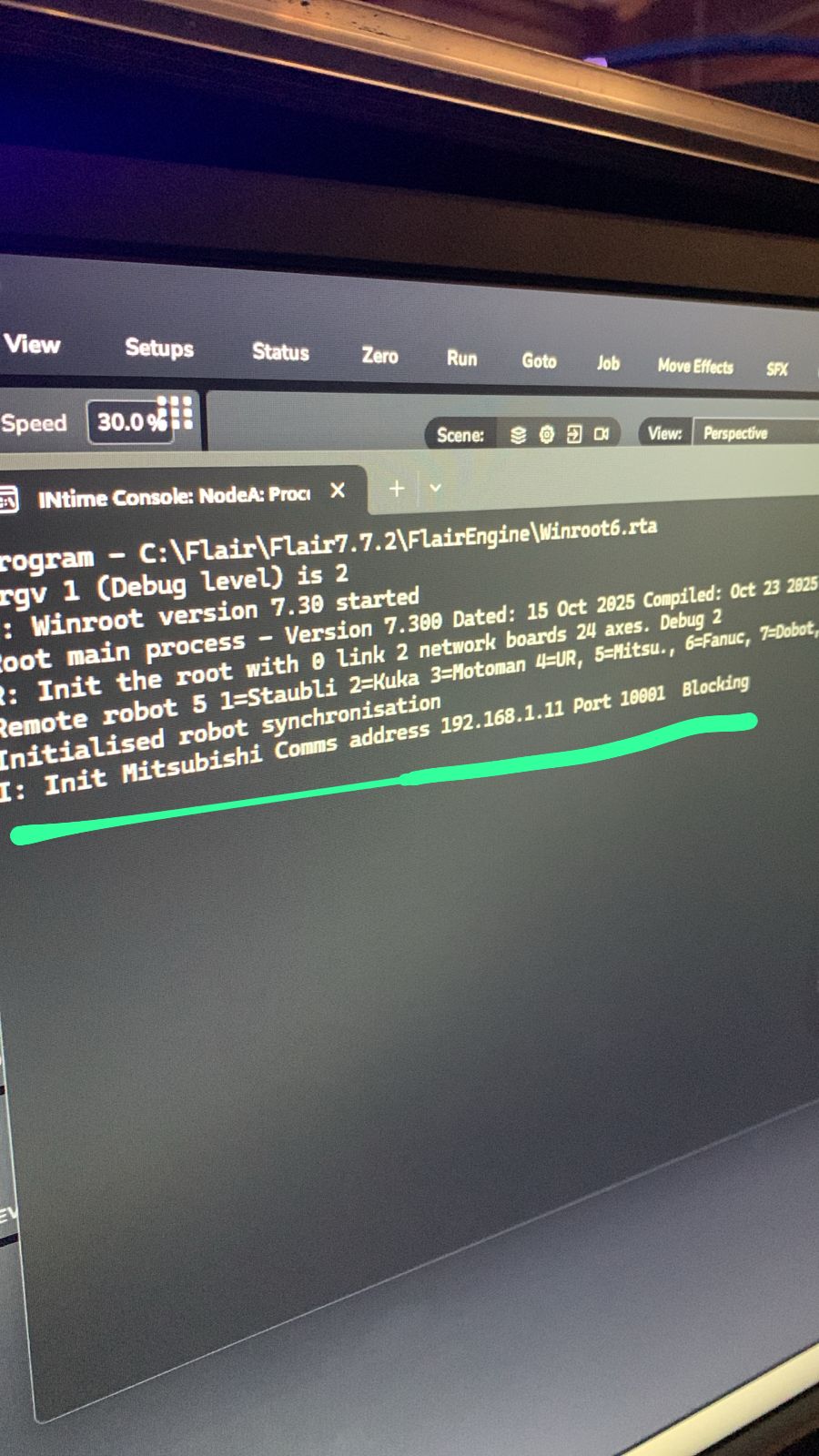
If a warning appears when booting Flair, start with the basic network path: LAN connection, InTime running, hub power, and site power. In the resolved case, the cause was simply a network cable out of position.
Symptoms
- Warning appears when booting Flair.
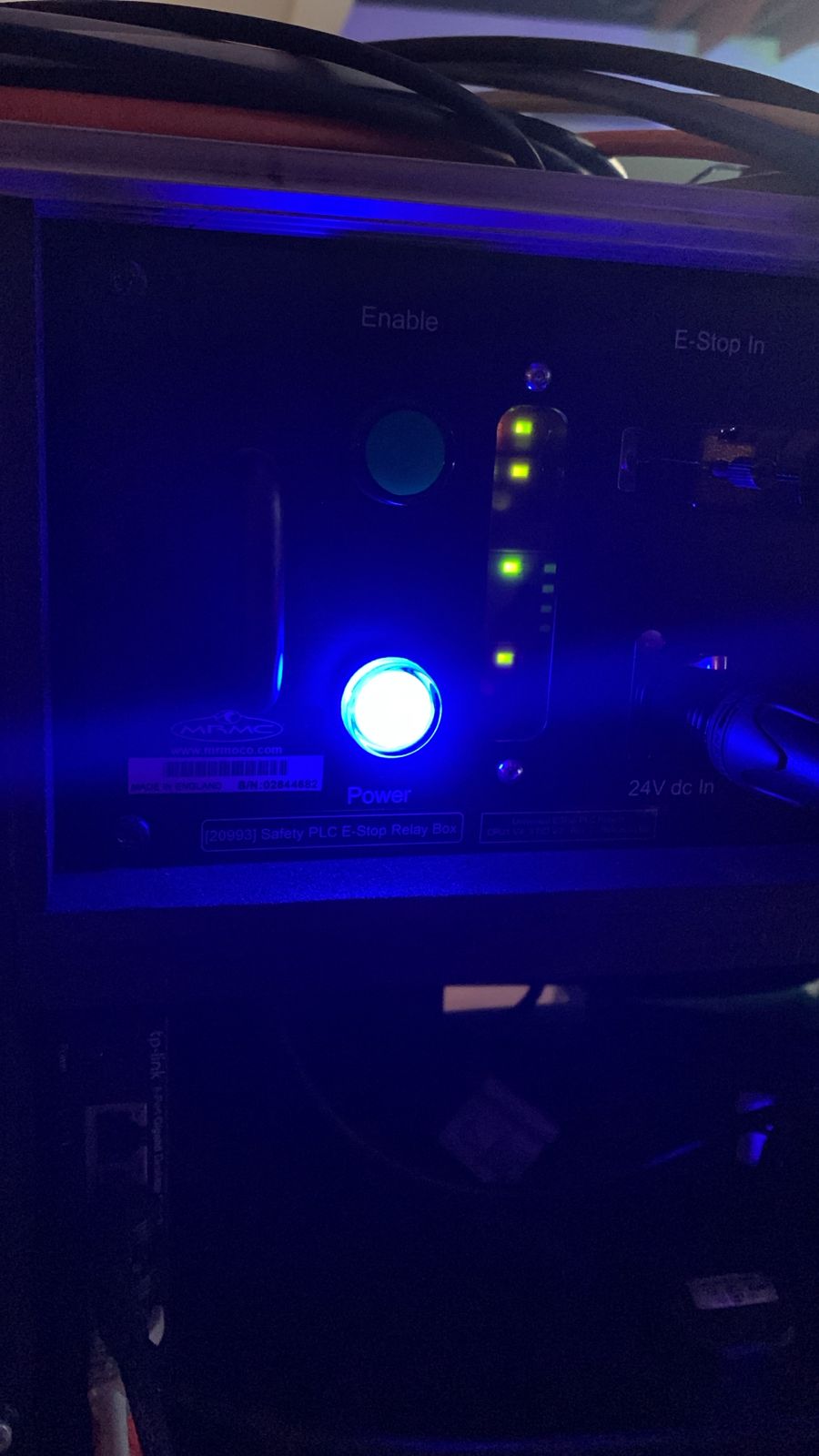
- Operator asks whether two network/board lights should be on.
- System does not come online until cable issue is fixed.
Community Solution
[CONFIRMED] Check LAN cable, InTime, hub power, and location power
2025-11-19 — Julio Oliveira / Steve_Schweiger / MRMC Support
- Check LAN/network cable seating.
- Confirm InTime is running.
- Confirm the hub is powered.
- Confirm location power is stable.
- Restart after reseating any suspect cable.
The reporter confirmed: "It was a network cable out of position. Robot on!"
confidence_score: 0.88
Related Media
Media Text / Description
- Image description: boot warning / network status photos where the operator asks whether the network or board lights are correct; resolved by reseating a network cable.
- Media 1: Image description: boot warning / network status photos where the operator asks whether the network or board lights are correct; resolved by reseating a network cable. Searchable terms: warning when booting Flair; network cable out of position; two network lights; InTime running; hub powered.
- Media 2: Image description: boot warning / network status photos where the operator asks whether the network or board lights are correct; resolved by reseating a network cable. Searchable terms: warning when booting Flair; network cable out of position; two network lights; InTime running; hub powered.
- Media 3: Image description: boot warning / network status photos where the operator asks whether the network or board lights are correct; resolved by reseating a network cable. Searchable terms: warning when booting Flair; network cable out of position; two network lights; InTime running; hub powered.
WhatsApp Excerpts
[19/11/2025, 4:37:15 am] ~ Julio Oliveira: Hey guys. Having this warning when booting flair. Does anyone knows what’s the problem?
[19/11/2025, 4:38:00 am] ~ Steve_Schweiger: Lan Connection? Check all Connections, restart system
[19/11/2025, 4:38:50 am] ~ Julio Oliveira: Trying now
[19/11/2025, 4:44:00 am] ~ Julio Oliveira: These two lights should be on?
[19/11/2025, 4:45:41 am] ~ Julio Oliveira:
[19/11/2025, 4:46:47 am] ~ Julio Oliveira: @~MRMC Support
[19/11/2025, 4:50:09 am] ~ MRMC Support: Intime running
[19/11/2025, 4:50:26 am] ~ MRMC Support: Hub powered?
[19/11/2025, 4:50:37 am] ~ MRMC Support: Location power?
[19/11/2025, 5:04:12 am] ~ Markus: @~Steve_Schweiger i did this part sections and used it with a physical button as an input trigger. I gave it to the director so he could time, start and continue the movement as he pleased. He was very happy for it. Only caveat is that you have to click twice in flair before he’s able to trigger it, guess that’s we’re OSC wins
[19/11/2025, 5:19:07 am] ~ Julio Oliveira: Thank you @~MRMC Support @~Steve_Schweiger
It was a network cable out of position.
[19/11/2025, 5:19:19 am] ~ Julio Oliveira: Robot on!
Related Issues
- See also: InTime Not Starting or Robot Not Found After Boot
- See also: EtherCAT "Network Communications Not Running" — Systematic Troubleshooting
- See also: RT14 Load Error on Startup — Running Light Solid / Network Reload