Dragonframe Stepper Speed To Flair Axis Velocity / Acceleration
Summary
There is no universal one-line conversion from Dragonframe steps per second to Flair velocity/acceleration. Dragonframe step rate only describes motor pulses. Flair axis values need real-world display units, so the conversion depends on axis scaling: steps per revolution, gearing, pulley/rack pitch, screw pitch, or linear distance per step.
Symptoms
- You have working Dragonframe stepper speed and acceleration settings and want to enter equivalent values in Flair but don't know the formula.
- Flair axis velocity and acceleration do not match the physical motion speed you achieved in Dragonframe.
- The
Run from Dragonframemenu item is missing from Flair Classic's Run menu. - You need to calibrate both Dragonframe and Flair to the same real-world units (degrees, cm, mm) so the rigs behave consistently between systems.
Core Rule
Convert Dragonframe stepper values into real linear or rotational units first, then enter equivalent Flair axis speed and acceleration.
Dragonframe steps/sec
  -> steps per revolution or steps per mm/cm/degree
  -> real velocity in display units/sec
  -> Flair axis velocity
For acceleration from standstill:
Example logic:
If a rig needs 125,000 steps/sec:
1. Work out steps per cm, mm, metre, degree, or revolution.
2. Convert 125,000 steps/sec to display units/sec.
3. If acceleration time is 1 second, acceleration is approximately that velocity per second.
4. Enter/test equivalent velocity and acceleration in Flair axis setup for the same display units.
Settings Location
| Task | Flair location |
|---|---|
| Axis display/internal scaling | Setups -> Axis Setup |
| Axis velocity and acceleration limits | Setups -> Axis Setup for the relevant external axis |
| External stepper / motor configuration | Setups -> Axis Setup, plus hardware-specific QuadBox / motor setup |
| Dragonframe network connection | Dragonframe Flair Interface plus secondary NIC if required |
Community Solutions
[CONFIRMED] Steps Per Second Alone Is Not Enough
125,000 steps/sec does not equate to a real angular or linear velocity until the physical axis scaling is known. Determine steps per revolution for rotary axes or steps per cm/mm/metre for linear axes.
Confidence: 0.86
[LIKELY] Calibrate Both Systems To The Same Real Units
Calibrate Dragonframe to degrees, centimetres, millimetres, or another real measure. Then calibrate the Flair axis similarly. Matching real display units makes behavior predictable between systems.
Confidence: 0.78
[LIKELY] Use Velocity / Time For Acceleration
If Dragonframe acceleration is expressed as time to reach speed, the equivalent acceleration in Flair depends on final velocity and acceleration time. From standstill, a = v / t.
Confidence: 0.72
[LIKELY] Run From Dragonframe Menu Depends On Connection
If Run from Dragonframe disappears from Flair Classic, MRMC Support suggested it may only appear when Flair is connected to Dragonframe. Also check whether the View menu level is set to Simple or Basic.
Confidence: 0.62
Related Media
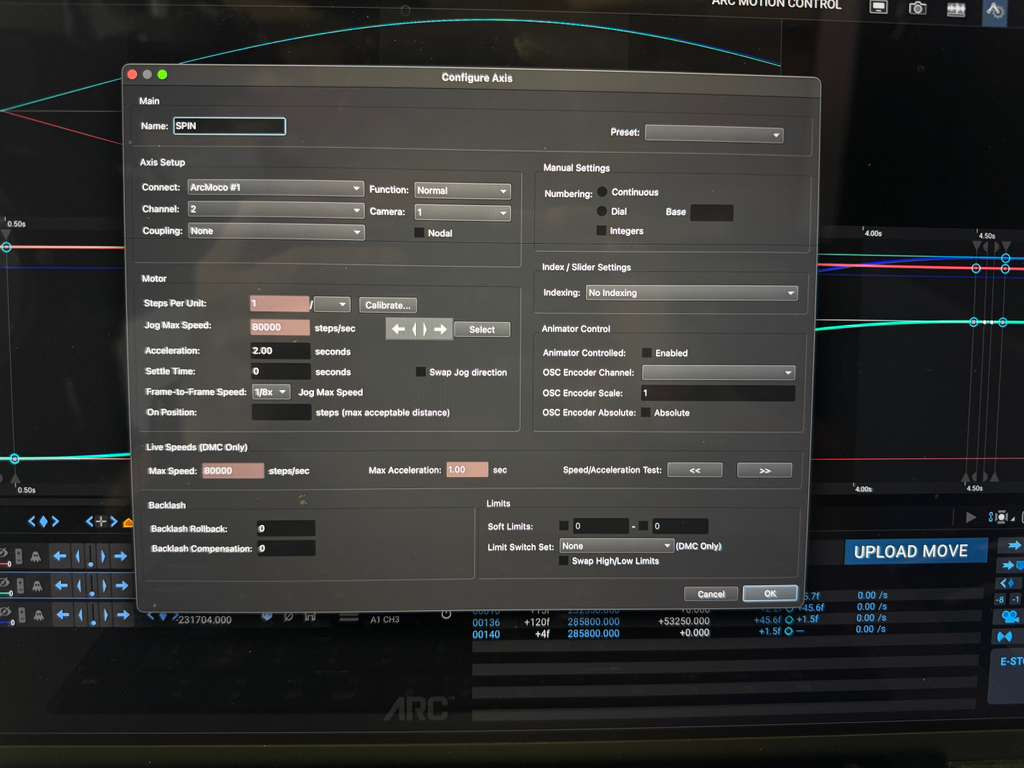
- Media 1: Image description: Dragonframe motion-control settings used as source values for conversion to Flair.
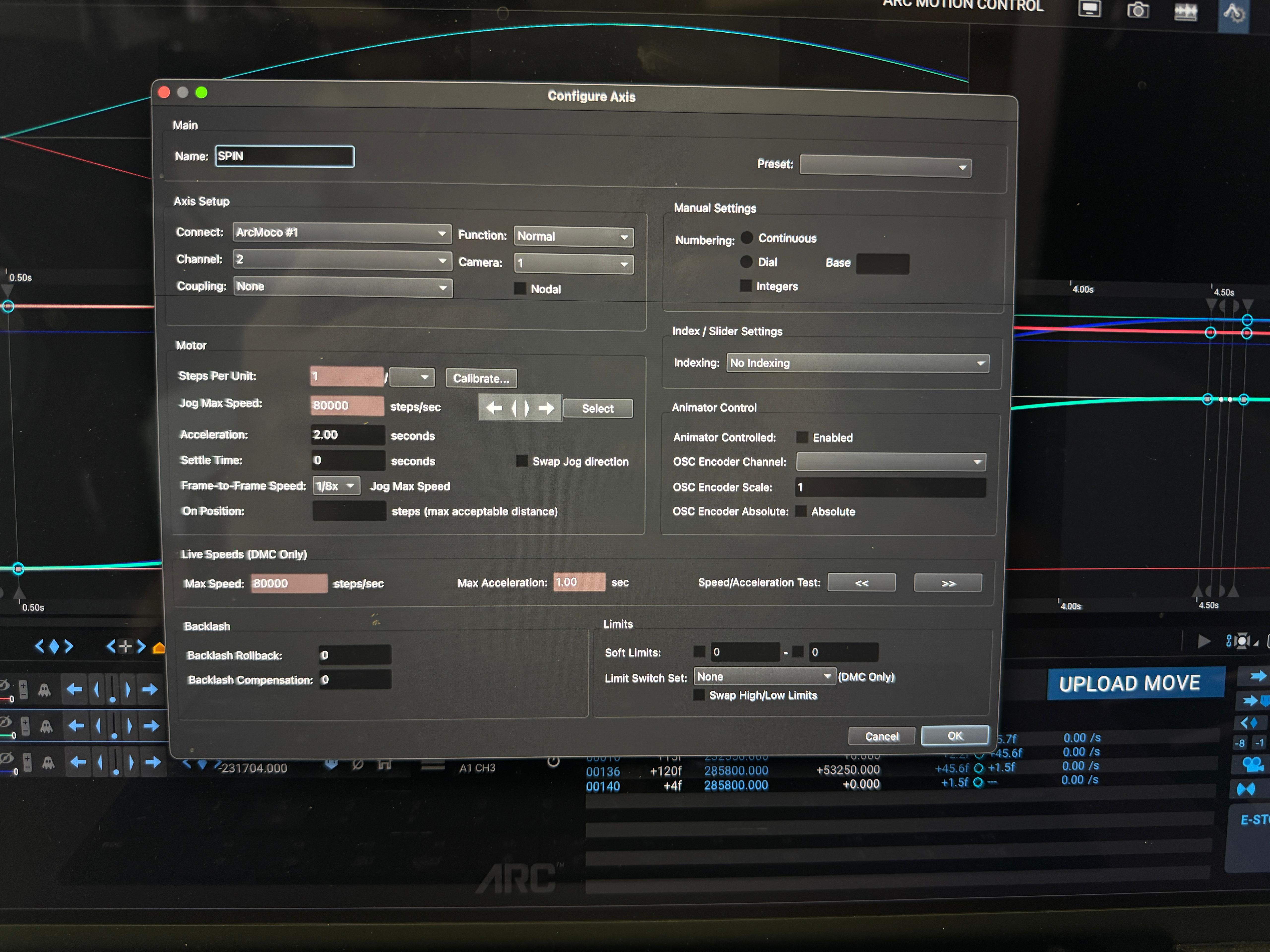
- Media 2: Image description: Dragonframe stepper speed/acceleration screenshot.
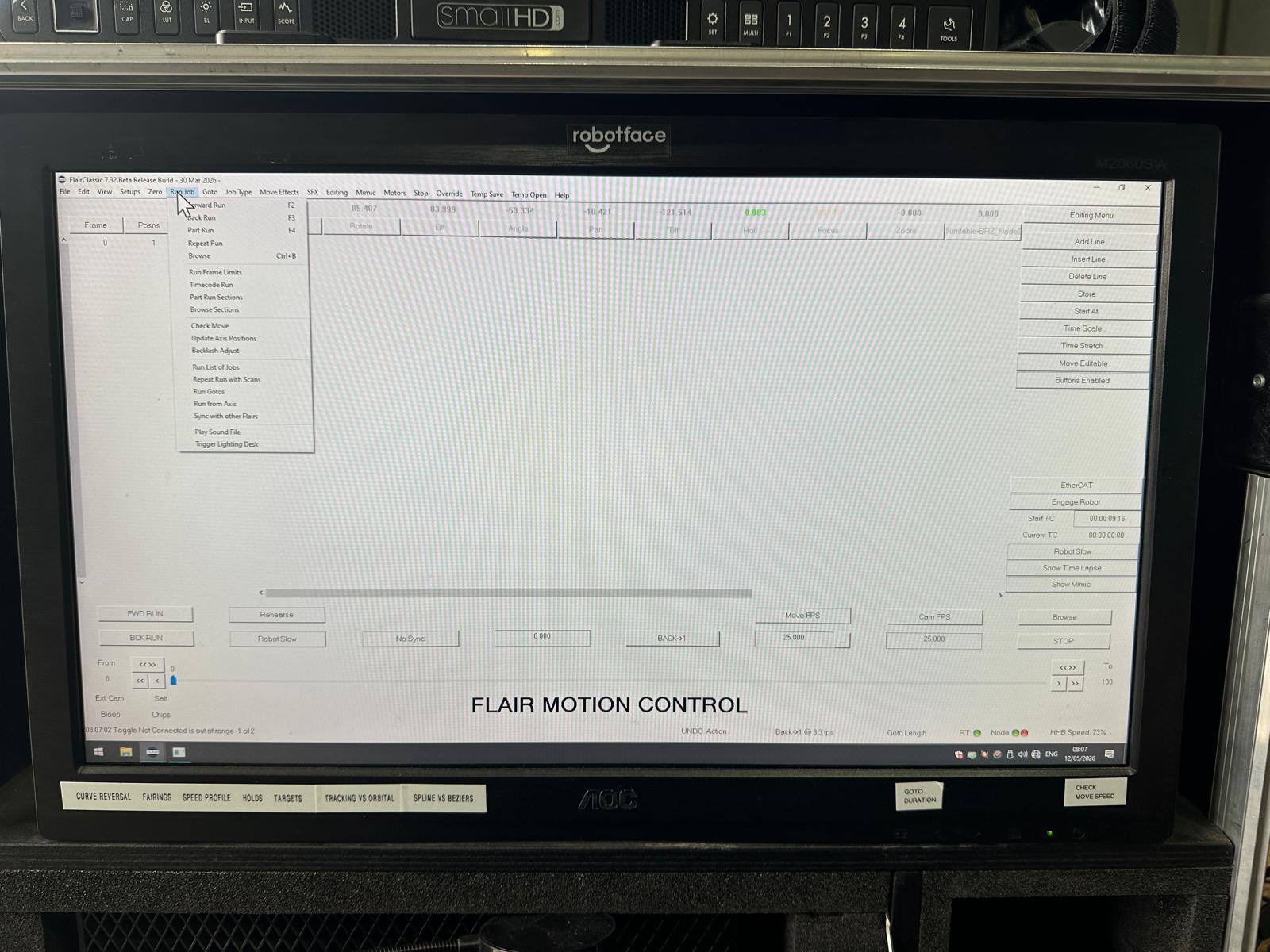
- Media 3: Visible menu text: Run, Forward Run, Back Run, Part Run, Repeat Run, Browse, Run From Scans, Sync with other Flairs, Play Sound File, Trigger Lighting Desk; missing Run from Dragonframe.
Media Text / Description
- Image description: Dragonframe motion-control settings screenshots used in a question about converting steps per second and acceleration time into Flair axis velocity and acceleration.
- Visible Flair menu text: Run, Forward Run, Back Run, Part Run, Repeat Run, Browse, Run Frame Limits, Timecode Run, Part Run Sections, Run Gotos, Run from Axs, Sync with other Flairs, Play Sound File, Trigger Lighting Desk.
- Missing menu item / search phrase: Run from Dragonframe.
WhatsApp Excerpts
[10/5/2026, 9:33:40 am] ~ Buddy Bleckley: Hey y’all! I jump back and fourth between Flair and Dragonframe fairly often, is there a formula for converting Dragonframe acceleration/steps per second to Flair inputs?
[10/5/2026, 9:33:43 am] ~ Buddy Bleckley: Hey y’all! I jump back and fourth between Flair and Dragonframe fairly often, is there a formula for converting Dragonframe acceleration/steps per second to Flair inputs?
[10/5/2026, 9:57:54 am] ~ dennis: Are you wanting to do something like 8,000 steps in 3 seconds (DragonFrame) is (X) in Flair?
[10/5/2026, 10:00:12 am] ~ dennis: Or: how do I make Flair do 8,000 steps in 3 seconds? (Flair Classic, of course)
[10/5/2026, 10:13:29 am] ~ Buddy Bleckley: More like…. These settings work great on Dragonframe, what’s the axis acceleration and velocity in flair.
[12/5/2026, 11:11:39 am] Tom D: Does anyone know if removing “Run from Dragonframe” from this menu is intentional with the latest Flair Classic update? If so, do you know where to find it?
[12/5/2026, 11:24:46 am] ~ Chavez.Camera: Double check the view menu level is not set to simple or basic
Related Issues
- See also: Dragonframe Cannot Connect Over InTime Network — Requires Secondary NIC
- See also: Dragonframe Limited to 130 Frames — Reopen DF After X-Sheet / Project Duration Changes
- See also: MDrive / Stepper Motors - Use QuadBox, Not Direct Ulti Breakout
- See also: Running Flair Without Hardware (Offline / Dummy Mode)