Tracker App Imported Move - 60 FPS Retiming Warning
Summary
A warning appeared on a Bolt Jr+ tracker-app imported move used as a model mover, with repeatability mismatch at 24/23.976. The key point from the chat: Tracker App moves are 60 fps. Retiming must be explicit.
Symptoms
- Tracker App imported move does not repeat as expected.
- Warning appears when using a 24 / 23.976 project or move.
- Timing mismatch between imported tracker data and Flair move.
Evidence
| Timestamp | User | Media | Evidence |
|---|---|---|---|
| 2023-06-23 05:55 | Josh Ellis-Tufts | 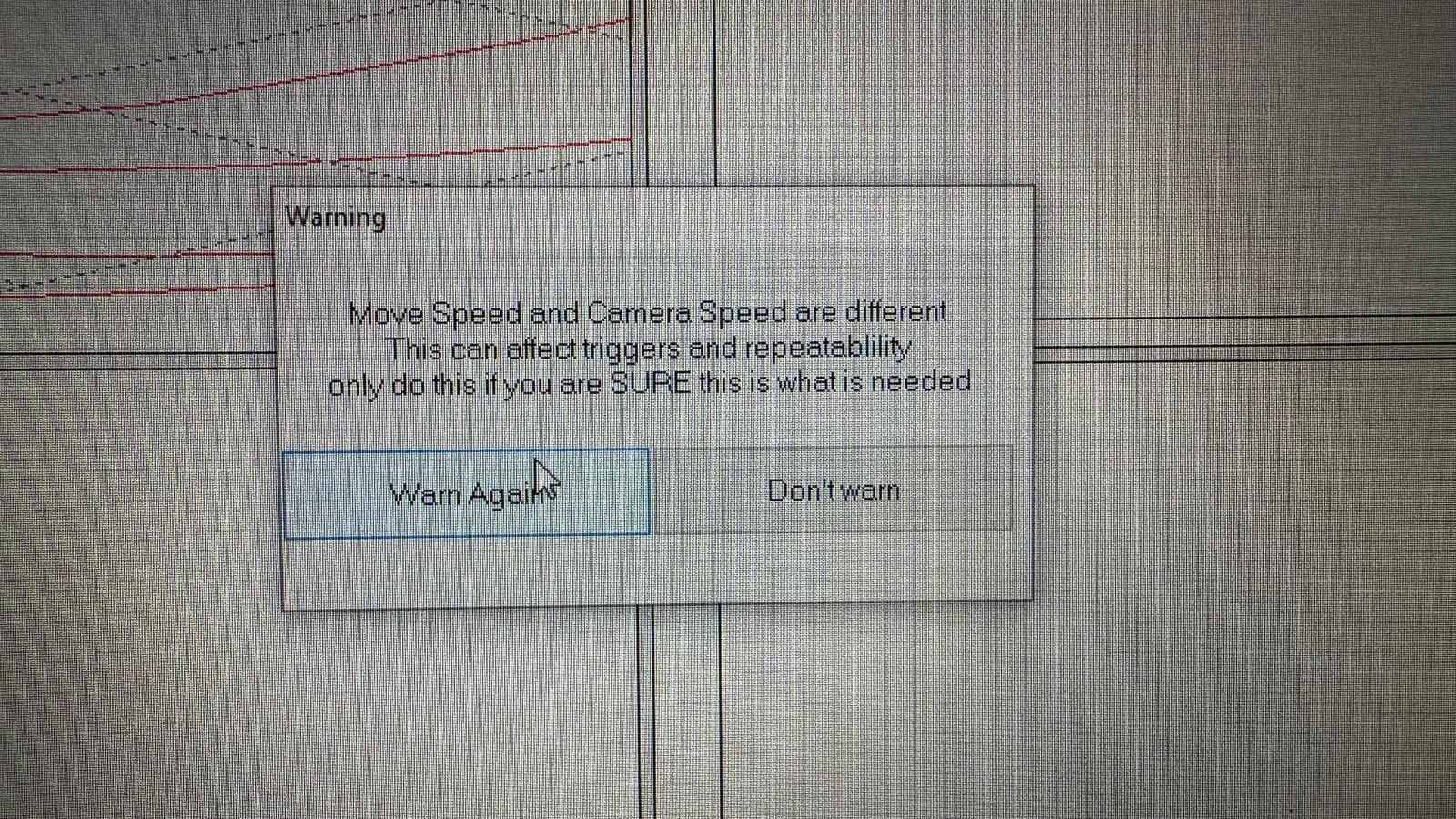 |
Image description: Tracker App imported move warning / repeatability mismatch; 60 fps tracker data was being used in a 24 or 23.976 fps project and needed retiming/time-scale review. |
Related Media
Media Text / Description
- Media 1: 2023-06-23 05:55 - Josh Ellis-Tufts: Image description: Tracker App imported move warning / repeatability mismatch; 60 fps tracker data was being used in a 24 or 23.976 fps project and needed retiming/time-scale review.
WhatsApp Excerpts
Media Text / Description
tracker app 60 fpstracker imported move warningtime scale to FPSmodel mover repeatability23.976 tracker app- Image description: Tracker App imported move warning on Bolt Jr+ / model mover workflow where 60 fps tracker data was being used in a 24 or 23.976 fps project.
[23/6/2023, 5:55:00 am] ~ Josh Ellis-Tufts: Has anybody had this warning appear before? This is on a bolt jr+ with a tracker imported move, however we were using it as a model mover, so there was no camera connected. This was for a previous internal job where we had a milo synced with a Komodo and triggering the Jr move for a multipass shoot, however when we were editing the footage the frame lined up but the Jr+ was in a different position on almost every take. Thinking this warning is the reason why.
[23/6/2023, 6:04:47 am] ~ Josh T.: The tracker importer move is 60fps. What does your timeline say?
[23/6/2023, 6:10:00 am] ~ Josh Ellis-Tufts: The move speed is running at 24fps
[23/6/2023, 6:10:22 am] ~ Josh T.: What is the camera speed that you are syncing to?
[23/6/2023, 6:11:26 am] ~ Josh Ellis-Tufts: The camera was shooting 23.976 but the move was running 24fps
[23/6/2023, 6:11:40 am] ~ Josh Ellis-Tufts: But the milo move shouldn’t effect this move, would it?
[23/6/2023, 6:12:21 am] ~ Josh Ellis-Tufts: I just changed the move speed to 60fps and the warning went away, so I think that was the problem
Community Solutions
[CONFIRMED] Treat Tracker App Data As 60 FPS
Imported Tracker App moves are 60 fps. Do not assume they inherit the current project FPS.
Confidence: 0.88
[CONFIRMED] Retiming Options
Either change the move speed to 60 fps, or use Editing Menu -> Time Scale -> to FPS to retime the move correctly for the project.
Confidence: 0.86
Related Issues
- See also: Dummy Focus Axis - Target Tracking Geometry With Separate Real Focus Motor
- See also: Run A-B Then Return to A - Multiple Pass / A-B-A Workflow
- See also: FreeD / OSC Data to Unreal Engine, Aximmetry, or Disguise — Setup and Pitfalls