Flair Crashes Opening Graph View — Axis Type Set to "Unused"
Flair Crashes Resolved All rigs BOTH
Summary
Opening the Graph View (graphical timeline) in Flair causes an immediate crash when any axis has its type set to "Unused" in the axis configuration. The "Unused" type causes Flair to calculate invalid numbers that cannot be displayed in the graph, triggering a crash. The fix is to change the offending axis type to "Independent" and then disable it with the middle mouse button. Fixed in the build following version 7.20 (March 2023).
Symptoms
- Flair crashes every time Graph View is opened
- Crash is reproducible — not intermittent
- Other Flair functions work normally; only Graph View crashes
- Issue appeared after adding or modifying axis configuration (especially if a non-standard axis like
Target_Distanceis present) - Version affected: Flair 7.20 (March 2023); may affect nearby versions
Root Cause
The "Unused" axis type is intended as a placeholder but causes Flair to attempt to compute display values for that axis when rendering the Graph View. The resulting numbers are invalid (out of range or NaN), which Flair cannot render, causing a crash.
"Your Target_Distance axis has a type 'Unused' and there is something with that which is causing it to work out some weird numbers which don't display in the graphs." — Simon Wakley (2023-03-18)
The issue was identified and fixed by Simon Wakley within the same session: a corrected build was released shortly after 7.20.
Resolution
Step 1 — Change axis type from "Unused" to "Independent"
- Open the relevant axis configuration: Setups -> Axis Setup for the affected axis. If the axis is assigned through target tracking or a robot model, also check Setups -> Kinematics Setup.
- Find the axis (or axes) with type set to "Unused".
- Change the type to "Independent".
Step 2 — Disable the axis if not in use
If the axis is not physically connected or not needed:
- In the Graph View or axis controls, use the middle mouse button to toggle the axis off (button appears flat/disabled).
- This disables the axis from running without removing it from the configuration.
Do not use 'Unused' as a disable mechanism
"Unused" is not the correct way to disable an axis. Use "Independent" + middle-mouse-button disable for axes you want to keep in the configuration but not run.
"Please select 'Independent' as a type and if you don't want to use it then use the Middle Mouse button to disable it. 'Unused' as a type should not be selected." — Simon Wakley (2023-03-18)
Step 3 — Update Flair if possible
The bug was fixed in the build following 7.20 (March 2023). If you cannot immediately change the axis type, upgrading will also resolve the crash.
"I have found the source of the issue and I had fixed it in the current build which should be available in a few days." — Simon Wakley (2023-03-18)
Evidence from Community Chat
"It crash again, this time we save the move. But it happen when we open the graphic view, same thing as last time? Any thoughts? Version 7.20 March 2023" — Francisco Aguila (2023-03-18)
"Thanks for the report. Will dig into this as soon as I can." — Simon Wakley (2023-03-18)
"Your Target_Distance axis has a type 'Unused' and there is something with that which is causing it to work out some weird numbers which don't display in the graphs. Please select 'Independent' as a type and if you don't want to use it then use the Middle Mouse button to disable it. 'Unused' as a type should not be selected. I will look into this more, but that should sort it for now." — Simon Wakley (2023-03-18)
"I have found the source of the issue and I had fixed it in the current build which should be available in a few days. In the meantime, please be sure to switch any axis types from 'Unused' to 'Independent' and to middle button (flat button = disabled) any axes you are not using." — Simon Wakley (2023-03-18)
Related Media
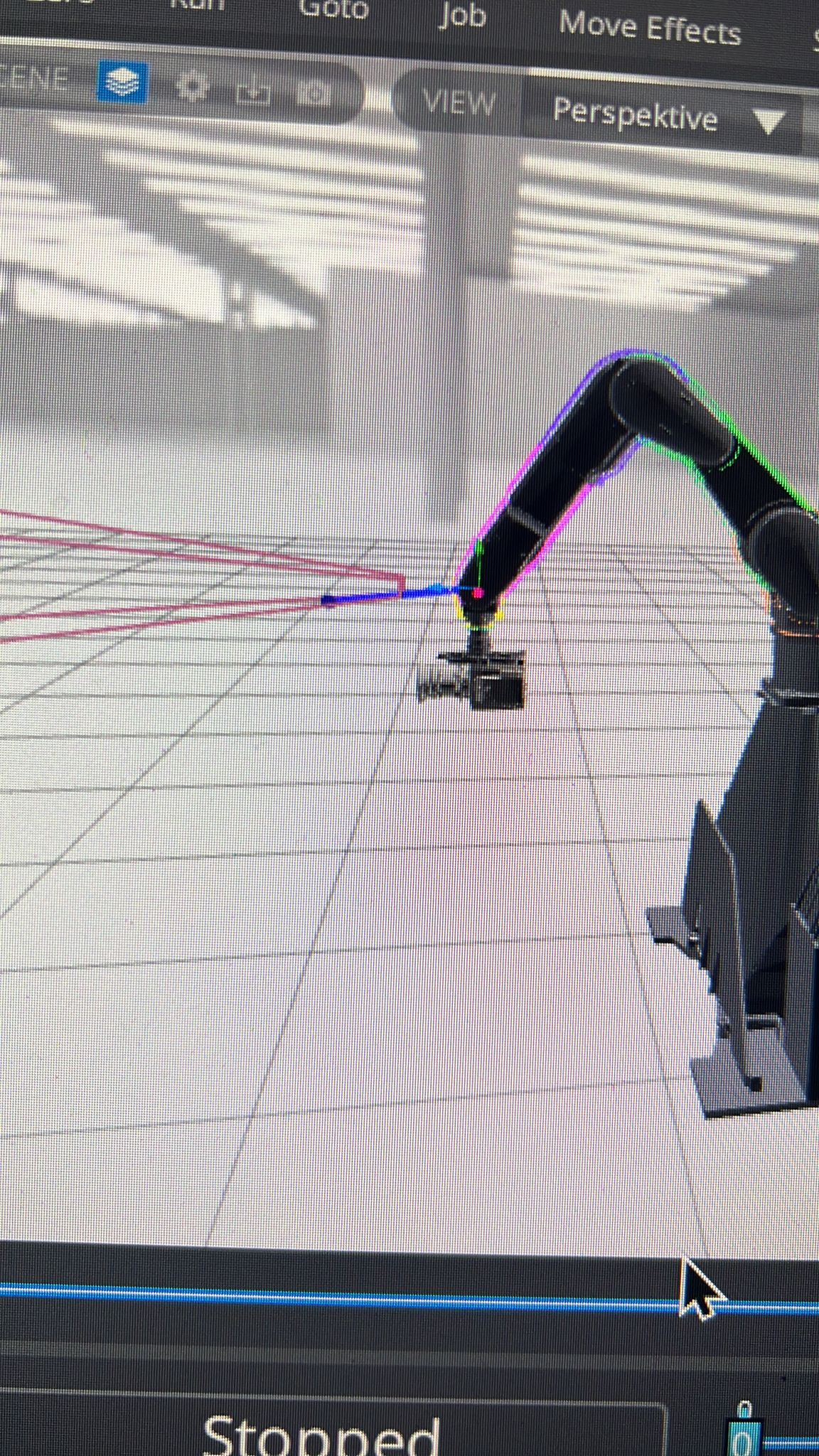
Media Text / Description
- Media 1: 2023-03-18 00:12 - ~ Steve_Schweiger: Got a new set of Blackwing 7. and soon a new Arri 35… so i set up the BW with camera mount setup. I think i have done it right but sometimes 3d view showes me this
WhatsApp Excerpts
- 2023-03-18 00:12 - ~ Steve_Schweiger: Got a new set of Blackwing 7. and soon a new Arri 35… so i set up the BW with camera mount setup. I think i have done it right but sometimes 3d view showes me this:
- 2023-03-18 12:56 - ~ Simon Wakley: I’m sorry it crahed but happy it’s the first time. Will look into it within the hour
- 2023-03-18 13:22 - ~ Simon Wakley: Your Target_Distance axis has a type "Unused" and there is something with that which is causing it to work out some weird numbers which don't display in the graphs. Please select "Independent" as a type and if you don't want to use it then use the Middle Mouse button to disable it. "Unused" as a type should not be selected. I will look into this more, but that should sort it for now.
- 2023-03-18 14:26 - ~ Josh M: Our small MRMC turn table has also been acting a bit odd at times. Def not mechanical. Right now my main suspicion is packet loss over a long ethernet cable. It'll work, but it's either sporadically delayed, gets a false home signal, or loses it's position. By quite a bit, like 45deg
- 2023-03-18 14:52 - ~ Simon Wakley: I have found the source of the issue and I had fixed it in the current build which should be available in a few days. In the meantime, please be sure to switch any axis types from "Unused" to "Independent" and to middle button (flat button = disabled) any axes you are not using.
Related Issues
- See also: Flair Crashes Cancelling Speed Warnings — Move Lost From Current Job — Flair crash from speed warnings on pre-calculated move
- See also: EtherCAT.ini Missing or Contains 'servo1' Line — EtherCAT ini issues (axis configuration context)
Related Tutorials
Revision History
| Date | Change | Editor |
|---|---|---|
| 2026-05-24 | Initial extraction | Tom D / Claude Code |