Flair 7 Install Message On Windows 7
Summary
An image-defined install/startup message after installing Flair was explained as an OS compatibility issue: recent Flair 7 versions do not run on Windows 7. Use Flair Classic on that machine or upgrade Windows.
Symptoms
- Flair 7 shows startup/install error on Windows 7.
- Flair Classic may still run.
- Problem appears immediately after install, not after robot connection.
Evidence
| Timestamp | User | Media | Evidence |
|---|---|---|---|
| 2023-12-05 03:07 | Oscar Molano | 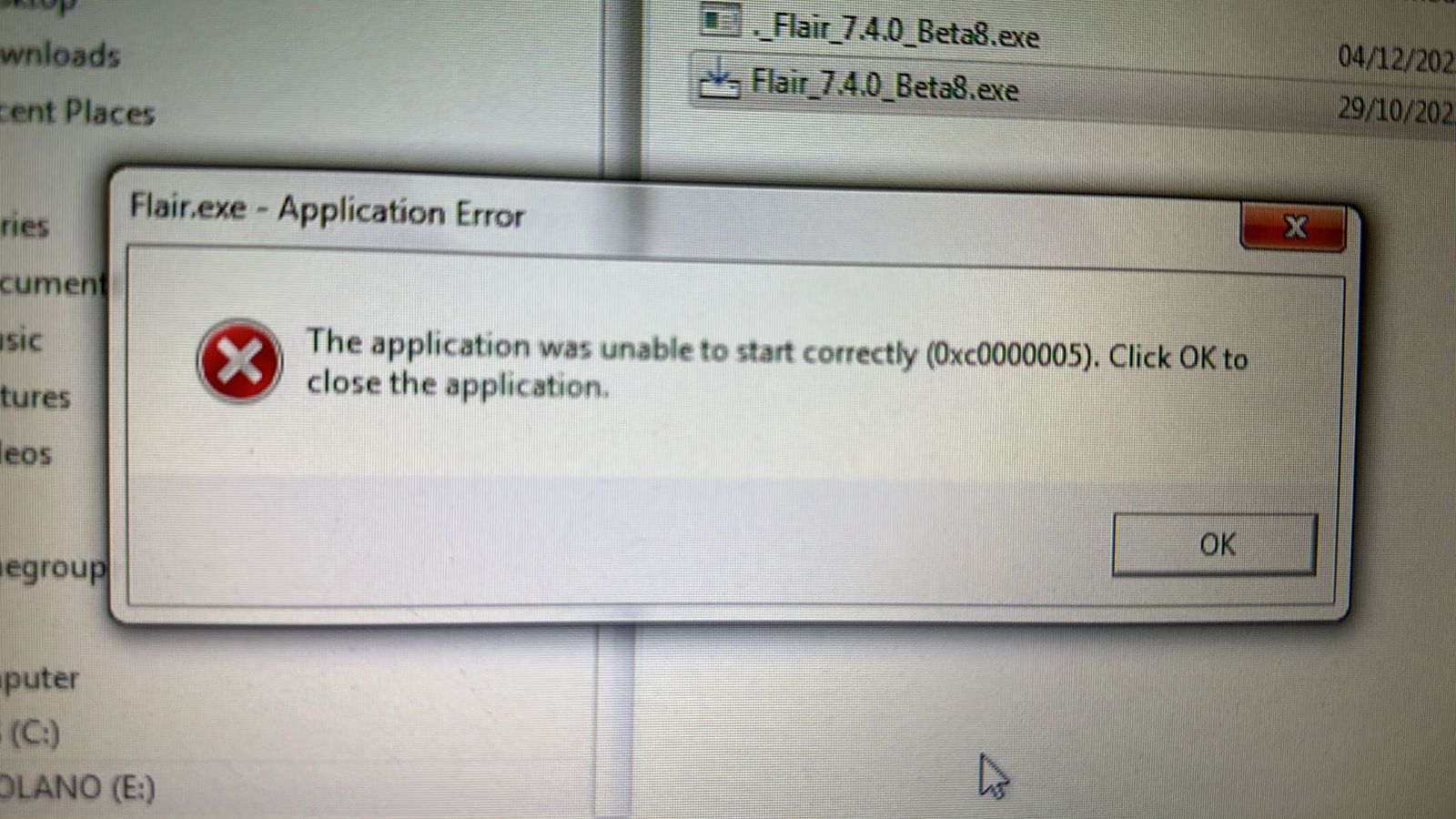 |
Image description: Flair 7 install/startup message after installing on Windows 7. Chat answer: recent Flair 7 does not run on Windows 7; use supported Windows or Flair Classic. |
Related Media
Media Text / Description
- Media 1: 2023-12-05 03:07 - Oscar Molano: Image description: Flair 7 install/startup message after installing on Windows 7. Chat answer: recent Flair 7 does not run on Windows 7; use supported Windows or Flair Classic.
WhatsApp Excerpts
Media Text / Description
Windows 7 Flair 7Flair 7 install errorFlair 7 does not run Windows 7Classic on Windows 7- Image description: Flair 7 install/startup message on a Windows 7 machine; community answer was that recent Flair 7 versions are not supported on Windows 7.
[5/12/2023, 3:07:40 am] ~ Oscar Molano: Hello I’m trying to install flair but I’m getting this message after installation
[5/12/2023, 3:10:41 am] ~ Niko: Oscar, flair 7? What windows version?
[5/12/2023, 3:15:10 am] ~ Oscar Molano: Windows 7
[5/12/2023, 3:19:54 am] ~ Niko: Las versions of flair 7 don’t work on windows 7. Classic will do
[5/12/2023, 4:25:07 am] ~ Riley Morgan: Hey y'all I found a fun one today on my Bolt.
End mount:
Perfectly fine when the pan arm is not inverted.
However - Unable to enter carts modes when the pan arm is inverted and roll is spun 180 to compensate. Robot trips, roll axis overspeed dialogue (no axis moves when this happens)
I like to put the pan arm upside down when in end mount because it gives me more clearance at the wrist with the tilt axis, but I guess I can't do that now. Unsure if it's flair version as it's been a while since I've done this.
Anyone have a similar issue?
No issues at all if the pan arm is "right side up"
[5/12/2023, 4:25:34 am] ~ Riley Morgan: Fl classic, 7.21 beta jun 7 2023
[5/12/2023, 4:27:55 am] ~ Riley Morgan: It's not a light camera package either but I've definitely y done much heavier while end mounted
Community Solutions
[CONFIRMED] Use Classic Or Upgrade Windows
Run Flair Classic on Windows 7, or upgrade the machine to a supported Windows version for Flair 7.
Confidence: 0.9
[LIKELY] Do Not Diagnose As Robot / InTime First
If the error appears immediately on a Windows 7 system after installing Flair 7, resolve OS compatibility before chasing robot network or hardware faults.
Confidence: 0.82
Related Issues
- See also: Windows 11 and Flair 7.5 Require InTime 6.4+ / InTime 7
- See also: Running Flair Without Hardware (Offline / Dummy Mode)
- See also: Windows Smart App Control Blocks Flair 7 After Update