Speed Profile Warning Appears When Editing Beziers
Summary
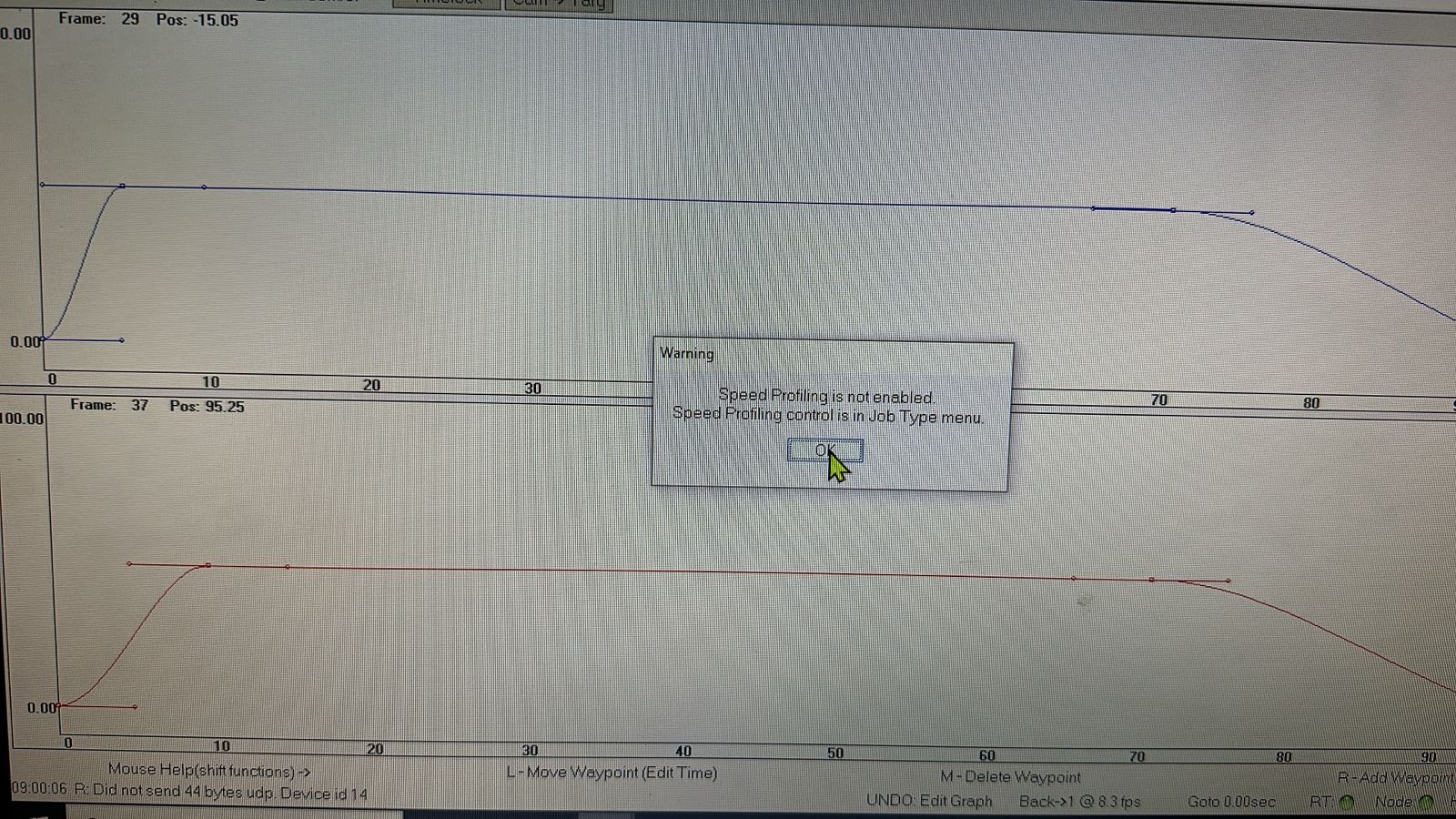
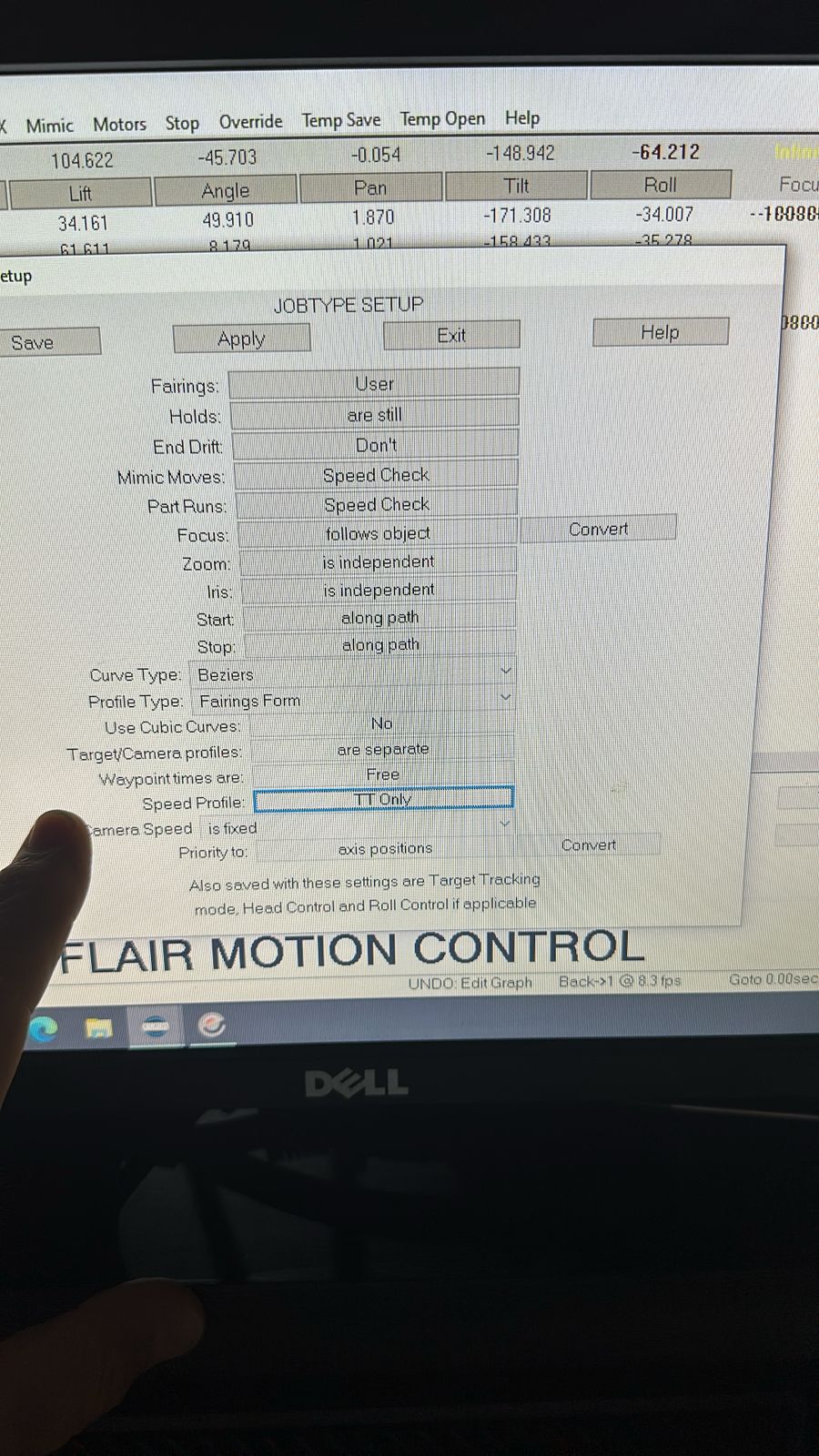
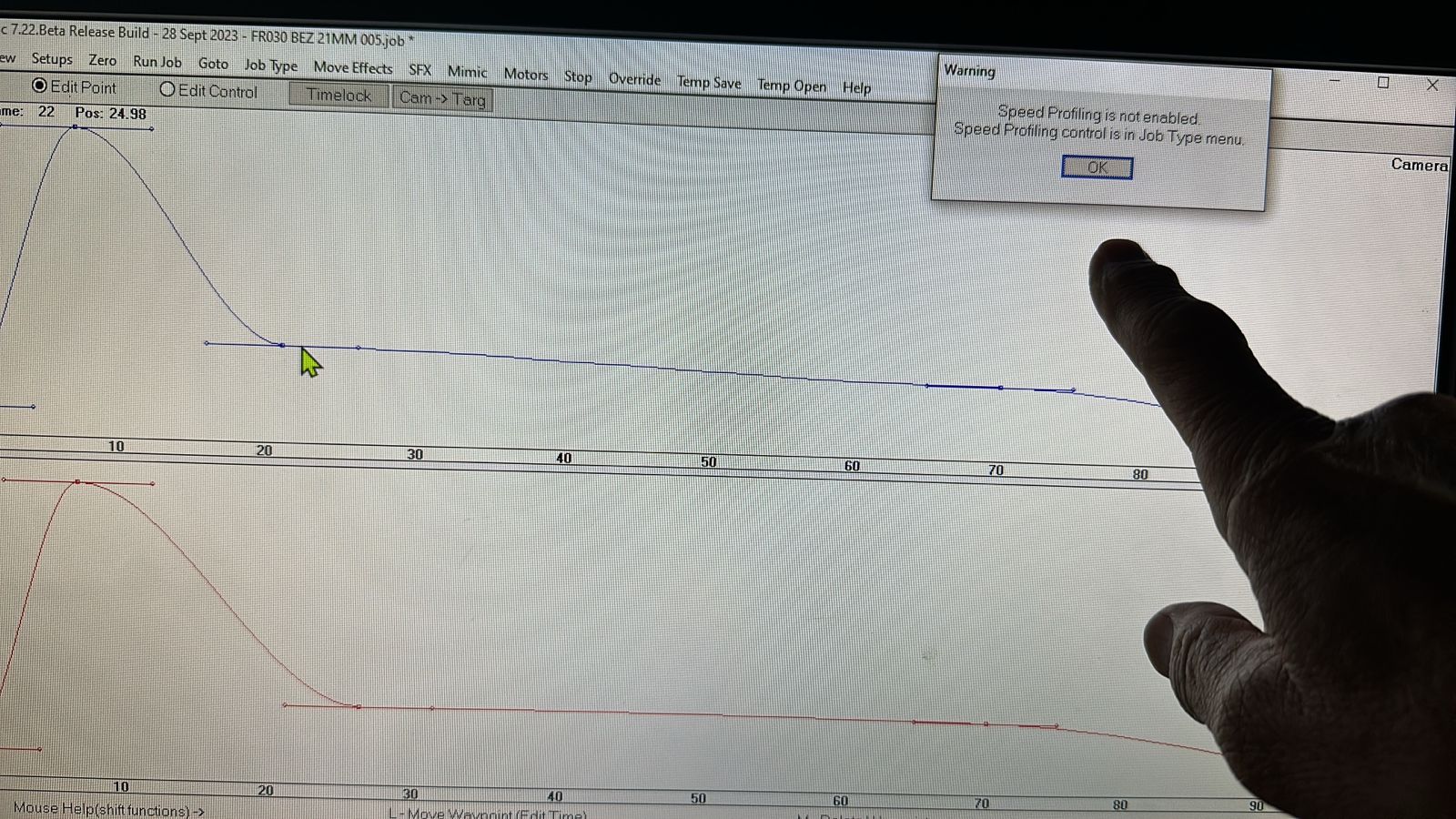
In Flair 7, a speed-profile warning may appear when editing Bezier curves even when the move appears to run correctly. The thread did not reach a confirmed fix; recommended checks were to confirm Speed Profiling is enabled, try different speed-profile scope options, switch to Bezier Form, and update Flair before filing a report.
Symptoms
- Warning appears every time a speed-profile or Bezier change is made.
- Move appears to behave correctly despite the warning.
- Reported on Bolt X pedestal with Flair
7.22 Beta 28 Sept 2023. - Track was not moving in the shot.
Community Guidance
[LIKELY] Check job type and speed-profile scope
2024-11-17 — Peter Constan-Tatos / Timothy Heys Cerchio
- Open the job's Job Type controls and confirm Speed Profiling is enabled.
- In the same Job Type / Speed Profile controls, try switching the Speed Profile scope to:
- TT + Master
- All
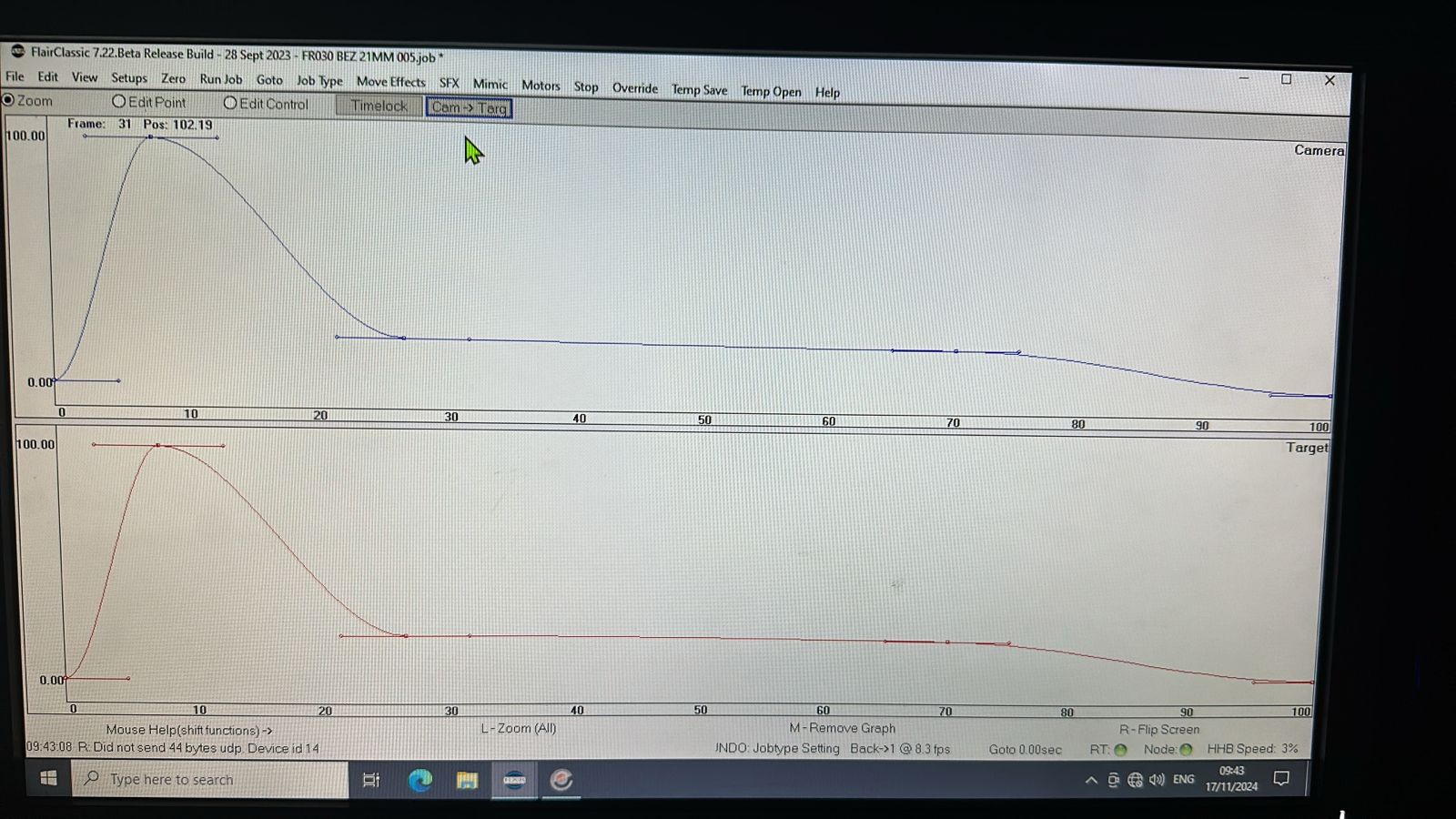
- In the move editing controls, try switching to Bezier Form.
- If still present, update Flair before sending a report; support may ask for that first.
confidence_score: 0.64
Related Media
Media Text / Description
- Image description: Flair 7 move-editing screenshots showing repeated speed-profile / Bezier warning while editing a Bolt X pedestal move.
- Media 1: Image description: Flair 7 move-editing screenshots showing repeated speed-profile / Bezier warning while editing a Bolt X pedestal move. Searchable terms: speed profiling warning; Bezier speed profile warning; invalid speed profile; TT + Master; Flair 7.22 beta 28.
- Media 2: Image description: Flair 7 move-editing screenshots showing repeated speed-profile / Bezier warning while editing a Bolt X pedestal move. Searchable terms: speed profiling warning; Bezier speed profile warning; invalid speed profile; TT + Master; Flair 7.22 beta 28.
- Media 3: Image description: Flair 7 move-editing screenshots showing repeated speed-profile / Bezier warning while editing a Bolt X pedestal move. Searchable terms: speed profiling warning; Bezier speed profile warning; invalid speed profile; TT + Master; Flair 7.22 beta 28.
- Media 4: Image description: Flair 7 move-editing screenshots showing repeated speed-profile / Bezier warning while editing a Bolt X pedestal move. Searchable terms: speed profiling warning; Bezier speed profile warning; invalid speed profile; TT + Master; Flair 7.22 beta 28.
WhatsApp Excerpts
[17/11/2024, 8:00:59 pm] ~ Peter Constan-Tatos: Working in beziers to speed profile but it seems to be okay but this warning comes up each time I make any changes. Any ideas…??
[17/11/2024, 8:31:55 pm] Timothy Heys Cerchio: Hi @~Peter Constan-Tatos First thing, is Speed Profiling actually enabled in the Job Type menu?
[17/11/2024, 8:36:42 pm] ~ Peter Constan-Tatos: Hi Tim. Yep it is
[17/11/2024, 8:36:52 pm] ~ Peter Constan-Tatos:
[17/11/2024, 8:39:12 pm] Timothy Heys Cerchio: And is Track moving in the shot?
[17/11/2024, 8:39:30 pm] ~ Peter Constan-Tatos: No track. BOLT X PED
[17/11/2024, 8:40:55 pm] Timothy Heys Cerchio: Strange... Try switching to TT + Master, or All in the Speed Profile.
[17/11/2024, 8:42:51 pm] ~ Peter Constan-Tatos: Yeah Tim same error. It’s working okay just keeps coming up.
[17/11/2024, 8:43:11 pm] ~ Peter Constan-Tatos:
[17/11/2024, 8:43:37 pm] ~ Peter Constan-Tatos:
[17/11/2024, 8:44:06 pm] ~ Peter Constan-Tatos: 7.22 Beta 28 Sept 2023 🤷♂️ maybe send report?
[17/11/2024, 8:45:28 pm] Timothy Heys Cerchio: Possibly, but I think if you do they might say 'please update first...' 😁
[17/11/2024, 8:48:45 pm] Timothy Heys Cerchio: And what if you switch to Bezier Form?
[17/11/2024, 9:08:11 pm] ~ Heiko Matting: Calibration of a Bolt (in general, but here for Bolt Jr+): One of the Bolts I work with suffers an offset at the roll axis. Since it´s all about absolute positions, I can´t use the offsets in Flair to fix that. I´m aiming for congruent carts positions for CGI export data.
[17/11/2024, 9:21:08 pm] Timothy Heys Cerchio: HI @~Heiko Matting How much is that offset? Are you sure it is not dependent on dovetail receiver/camera plate and finally camera misalignment? The play in the screws at any of those mounting points can add up to quite some error... 😬
[17/11/2024, 9:23:17 pm] ~ Heiko Matting: hey Tim, thx a lot for replying on Sunday! It´s not that much, something around 1-2 degs I´d say. It´s a very good hint, I´ll have a look at that!
[17/11/2024, 9:29:06 pm] Timothy Heys Cerchio: I usually start without camera plate attached, from home position Tilt up 90° and then measure level cross-ways on the flat side of the dovetail receiver. When that is straight I then add the camera top plate (or L bracket) only and check for level across there... Keeping dovetail 'giver' screws only barely tight, so that manual adjustment can be made, then carefully removing the quick release before fully tightening those 4 screws down again.
[17/11/2024, 9:32:25 pm] Timothy Heys Cerchio: Then, finally, once the camera is on the plate and rig I always check for alignment to centre of Track rails (or base, if on pedestal) and, if necessary, I play around with the camera screws to achieve 'best' alignment.
[17/11/2024, 9:35:27 pm] Timothy Heys Cerchio: It is a bit 'fiddly', but I found that with a little trial-and-error, it does get alignments to a reasonable, usable point. 😉
[17/11/2024, 9:37:29 pm] ~ Heiko Matting: habemus papam, Tim.
Related Issues
- See also: Flair Crashes Cancelling Speed Warnings — Move Lost From Current Job
- See also: Keyframe Vector Alignment - World vs Camera Orientation