ISSUE — Track Axis Trips Mid-Move Due to Velocity Spike (Tripcode 3)
Summary
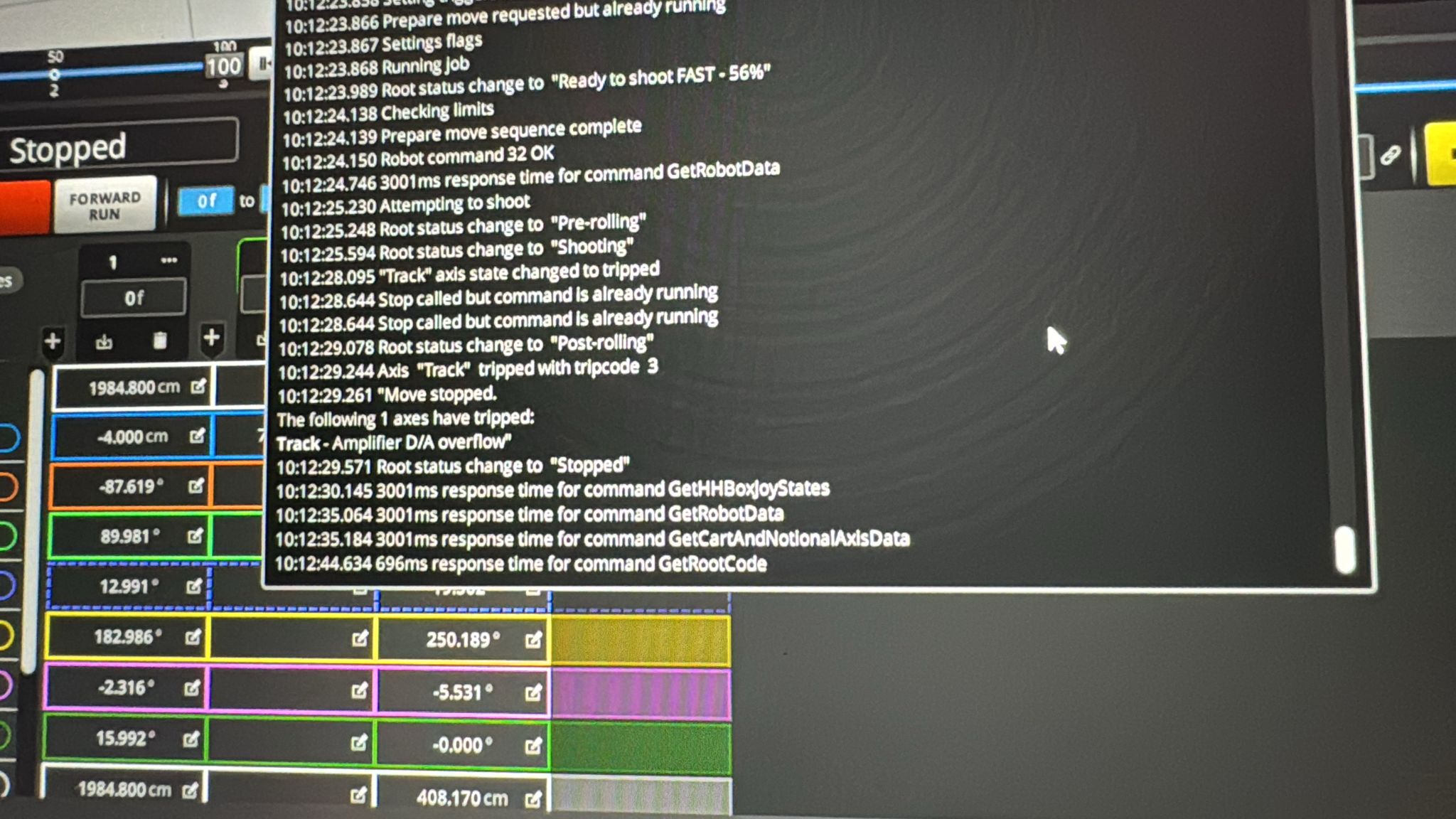
Track axis trips at a consistent point through the move (Tripcode 3), caused by a velocity spike or singularity in the move curve — often originating from a CGI/FBX import or curve generation glitch. Flair's velocity checker samples speed every few frames and can miss a brief spike peak between samples. Check the velocity graph for sudden discontinuities and delete or re-smooth the offending keyframes.
Symptoms
- Track axis trips at a specific percentage through the move (56% in reported case)
- Tripcode 3 in output log
- Occurs even on simple 2-point moves created in Flair
- Retightening rack joint and testing without joint crossing did not resolve it
- The trip occurs even when the rack joint is not in the equation
Systems Affected
- Cinebot Mini (Ben Myers — confirmed)
- Applicable to any rig, particularly with imported or complex moves
Software Environment
Possible Causes
- Velocity spike / singularity in the move curve
- Flair's velocity checker tests speed every couple of frames — a sudden spike can exceed the threshold even if the peak is between checks
- Singularity can originate from a CGI/FBX import or from a glitch in curve generation
Solutions
Solution A — Check the velocity graph for spikes
Contributor(s): ~ Simon Wakley — 2024-10-29
Steps
- Open the velocity/graph view for the track axis in the move editor.
- Look for a sudden spike or discontinuity in the velocity curve.
- If a spike is found:
- Delete the offending keyframe(s) near the spike.
- Re-smooth the curve and test.
- If the move was imported from CGI/FBX, re-examine the source data for singularities.
- Submit a bug report to MRMC with the import file if the spike appears to be from import.
Notes
"Check the graph. The velocity checking does a speed check every couple of frames and if you have a sudden spike, then it could miss the peak. If you have a sudden spike then there is a singularity or a glitch on the curves possibly from import. Send a bug report to MRMC with the import file as applicable." — Simon Wakley
Tripcode 3 in the output log confirms a velocity/control system fault, not a mechanical or sensor issue.
Solution B — Reduce granularity of the move
Contributor(s): ~ Heiko Matting, ~ Ante — 2024-10-27
Steps
- Open the move in the move editor / graphical edit view, then reduce the Granularity setting for the imported curve or move (e.g., from 1 to 2).
- Check if this smooths out the velocity spike.
- Be aware that reducing granularity may alter the shape of the move slightly.
Notes
"I did that also, but then I got something weird at the beginning so I found best was to use granularity 2 without those end frames." — Ante
Deleting the specific offending keyframes (if the bump is in a known location) is often cleaner than changing granularity globally.
Timeline
| Event | Date | Contributor |
|---|---|---|
| Reported | 2024-10-28 | Ben Myers |
| Velocity spike diagnosis | 2024-10-29 | ~ Simon Wakley |
| Granularity workaround noted | 2024-10-27 | ~ Heiko Matting, ~ Ante |
Official Documentation
| Document | Section | Notes |
|---|---|---|
| (No specific manual reference identified) | — | — |
Related Media
Media Text / Description
- Media 1: Flair display showing the track axis tripping around 56% through the move. Visible/searchable error text: Tripcode 3. The trip persisted after retightening the track joint and testing a move that did not cross the joint.
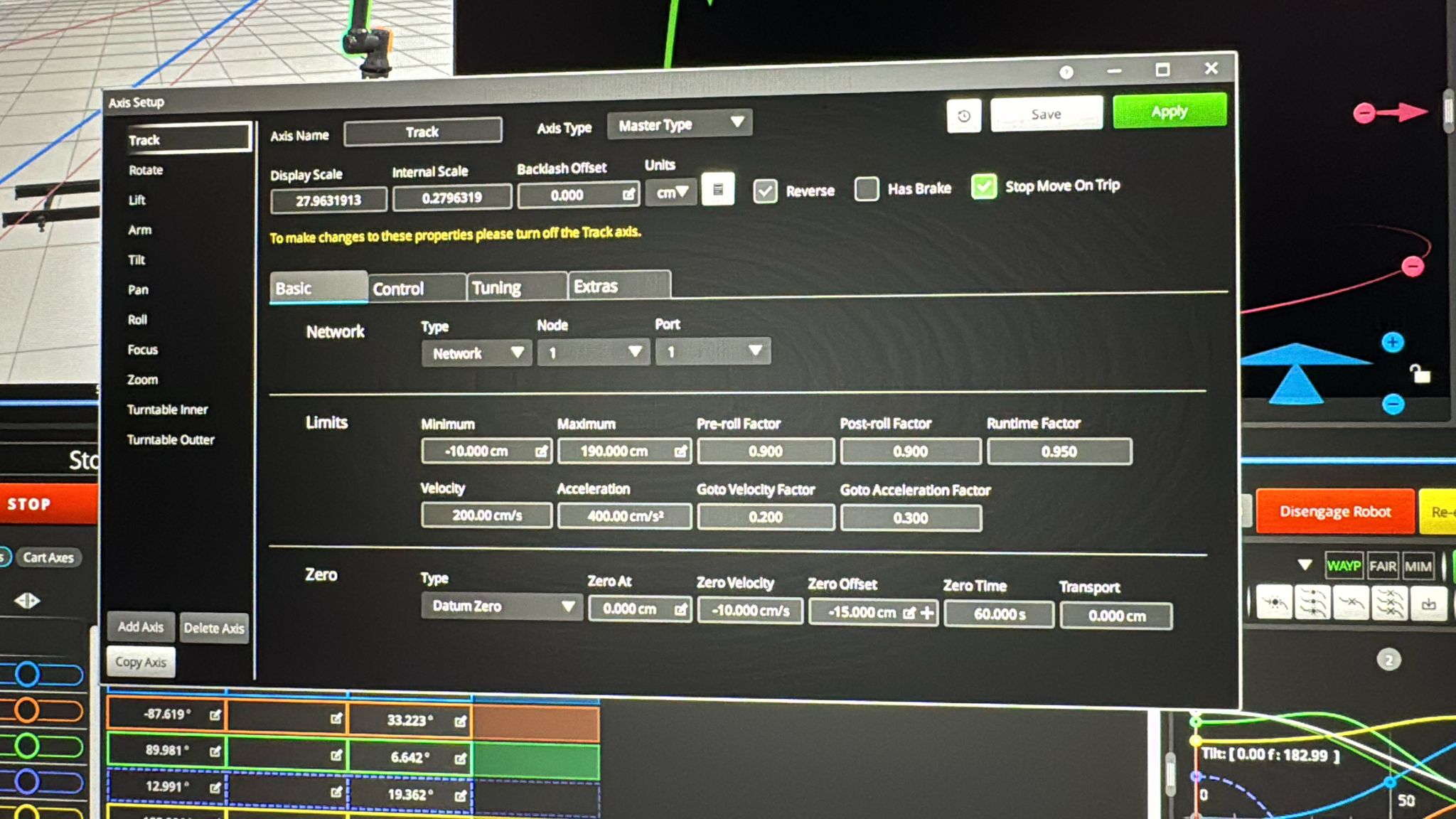
- Media 2: Follow-up screenshot of the same repeatable track-axis trip. Later diagnosis points to velocity spike, singularity, or curve glitch from import.
WhatsApp Excerpts
Related Issues
- See also: Track Axis Trips 1–2 Seconds After Engagement
- See also: CGI Motion chapter
- See also: Track Issues chapter
Revision History
| Date | Change | Editor |
|---|---|---|
| 2026-05-24 | Initial extraction | Tom D / Claude Code |
| 2026-05-24 | Reformatted to CSS-tag template | Tom D / Claude Code |