Flair Bridge On Mac - Wi-Fi / Routing Node Dropouts
Summary
A Flair Bridge on Mac + Jr+ report showed random errors where nodes disconnected, then went green again, requiring reboot. The chat suspected network routing/Wi-Fi interaction.
Symptoms
- Nodes disconnect and reconnect visually.
- Control is lost until reboot.
- Mac Wi-Fi is enabled while using Flair Bridge Ethernet.
- Another Mac user saw freezes with Wi-Fi on.
Evidence
| Timestamp | User | Media | Evidence |
|---|---|---|---|
| 2026-05-18 17:35 | Arnar Njall Hlidberg | 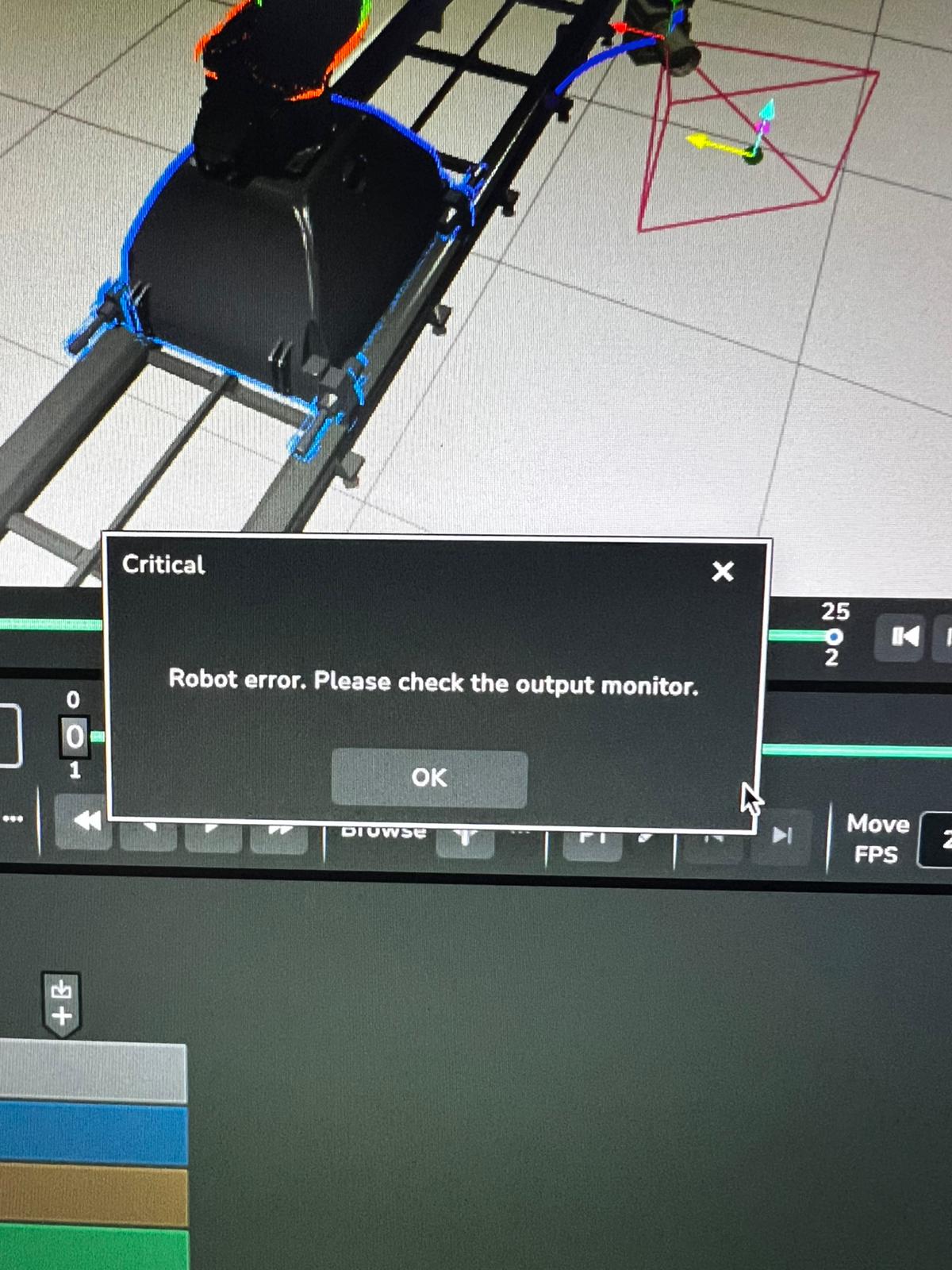 , ▶ 00037884-VIDEO-2026-05-18-17-35-25.mp4, , ▶ 00037884-VIDEO-2026-05-18-17-35-25.mp4, 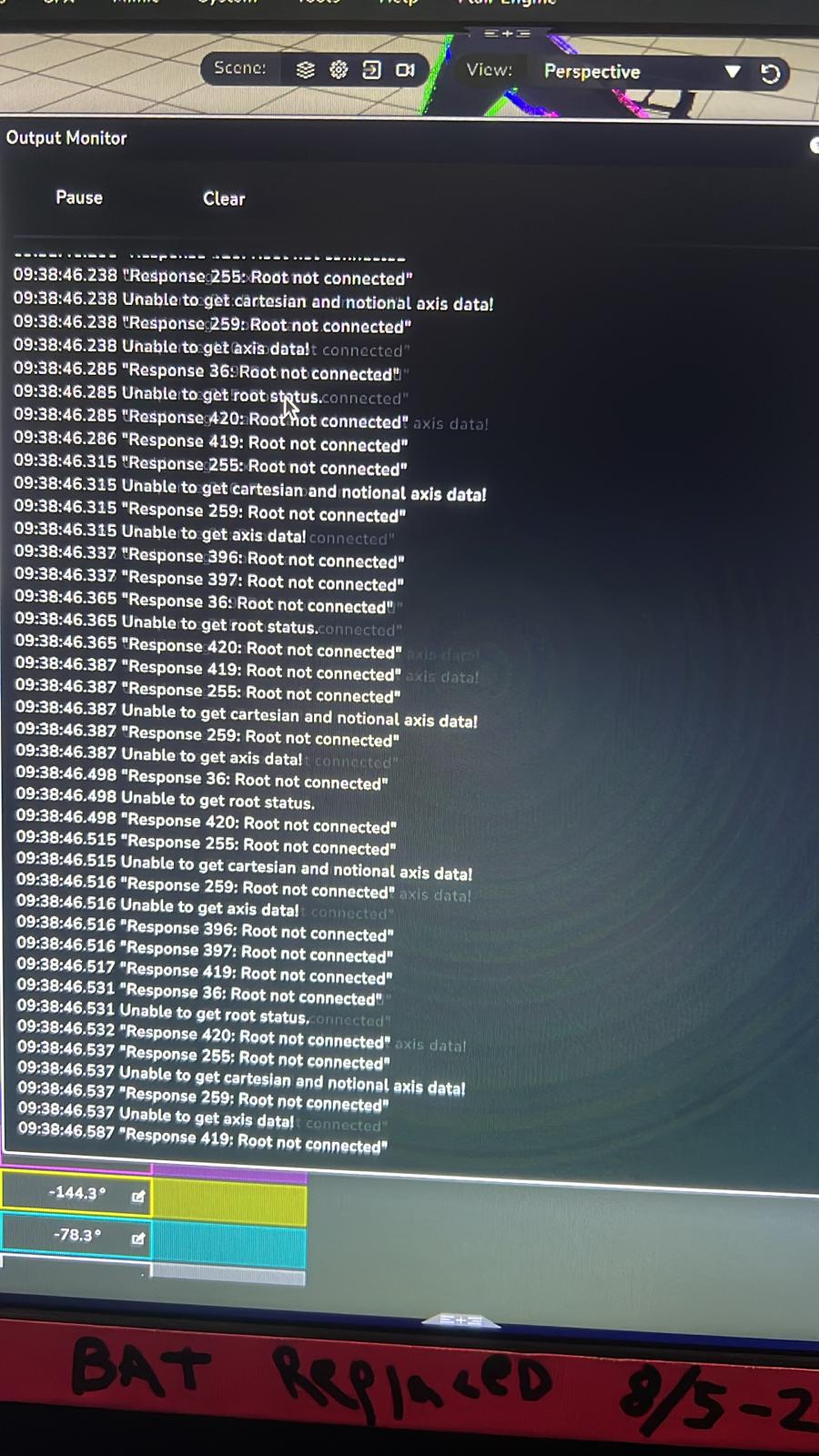 |
Image/video description: Flair Bridge on Mac + Jr+ shows nodes disconnecting, then going green again, but control requires reboot. Suspected Wi-Fi/routing conflict; keep Mac Wi-Fi off while connecting/running. |
Related Media
Media Text / Description
- Media 1: - 2026-05-18 17:35 - Arnar Njall Hlidberg - , ▶ 00037884-VIDEO-2026-05-18-17-35-25.mp4, - Image/video description: Flair Bridge on Mac + Jr+ shows nodes disconnecting, then going green again, but control requires...
- Media 2: - 2026-05-18 17:35 - Arnar Njall Hlidberg - , ▶ , - Image/video description: Flair Bridge on Mac + Jr+ shows nodes disconnecting, then going green again, but control requires reboot. Suspected Wi-Fi/routing...
- Media 3: - 2026-05-18 17:35 - Arnar Njall Hlidberg - , ▶ 00037884-VIDEO-2026-05-18-17-35-25.mp4, - Image/video description: Flair Bridge on Mac + Jr+ shows nodes disconnecting, then going green again, but control requires...
WhatsApp Excerpts
Media Text / Description
Flair Bridge Mac Wi-Fibridge nodes disconnectnodes go green againMac routing robotFlair Bridge dropout- Image/video description: Flair Bridge on macOS showing robot/network nodes dropping out, reconnecting green, and still requiring reboot; suspected Wi-Fi/routing conflict.
[18/5/2026, 5:35:24 pm] ~ Arnar Njáll Hlíðberg: Getting this error at random times, im running with the flair bridge (mac + jr+) and I need to fully reboot for it to get going again. Just before the error all the nodes disconnect but they go green again straight away. From the troubleshooting it seems to be something with network routing since I need to connect the computer wifi to my mobile hotspot for flair to detect the bridge. Has anyone dealt with this before?
[18/5/2026, 5:35:25 pm] ~ Arnar Njáll Hlíðberg:
[18/5/2026, 5:38:58 pm] ~ Arnar Njáll Hlíðberg:
[18/5/2026, 5:40:43 pm] Tom D: From my small experience turn wifi off when connecting via bridge. Seems to work fine when you turn it back on (ie to submit report) but try keeping wifi off otherwise?
[18/5/2026, 5:44:40 pm] ~ Navid Tansaz: Same here, on our Mac with WiFi on the flair just freezes
Community Solutions
[LIKELY] Keep Wi-Fi Off While Connecting And Running
Disable Wi-Fi while connecting to and running via Flair Bridge. Turn Wi-Fi on only when needed for reports or internet access, then turn it off again before motion.
Confidence: 0.8
[LIKELY] Check Routing Priority
If the Mac has Wi-Fi and Ethernet active simultaneously, macOS may route traffic unpredictably. Keep robot control on the intended wired interface.
Confidence: 0.72
[EXPERIMENTAL] Reboot Bridge / Flair After Node Drop
If nodes drop and recover visually but control does not return, reboot the Bridge/Flair session before attempting more motion.
Confidence: 0.68
Related Issues
- See also: Flair Bridge + Bolt (EtherCAT) Requires Two Flair Starts to Connect
- See also: Teradek / RF Proximity Causing Network or Ultibox Dropouts
- See also: InTime Not Starting or Robot Not Found After Boot