Flair DMX Preview Move Button Not Implemented - Run Move Required
Summary
Operators reported a confusing Flair DMX state where channel sliders and light values respond in the DMX setup, but the preview the DMX move or run dmx move control appears to do nothing. Gordon clarified in July 2023 that preview DMX move was not implemented yet and that the operator needed to run the move. Jo later reported in July 2024 that Flair sends DMX over Art-Net on universe 1 when running a move, and that preview DMX had not worked for them.
Symptoms / Questions
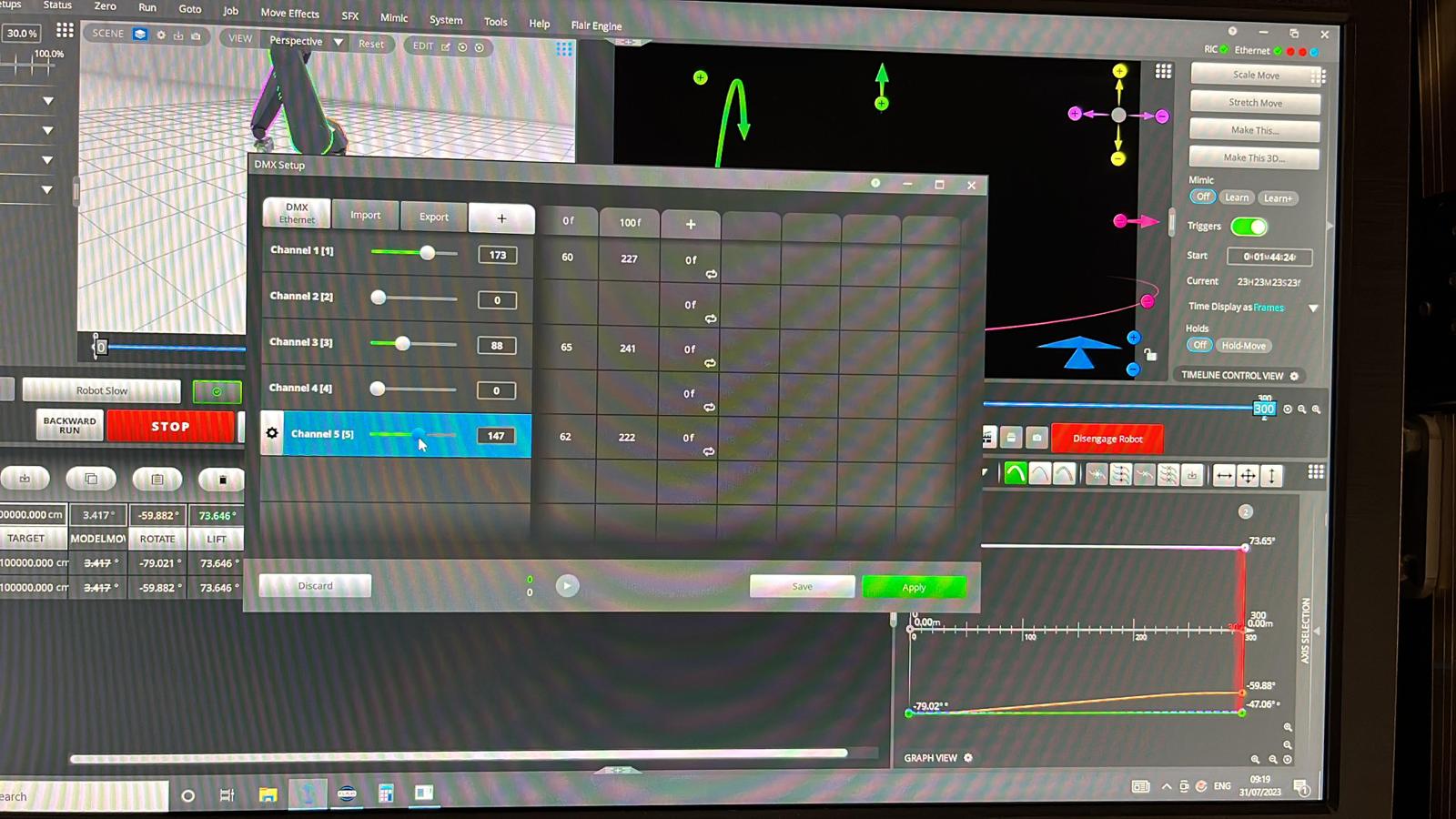
preview the DMX movebutton does not seem to do anything.run dmx movebutton does not do much.- The two zero values beside the DMX preview/play button stay at
0and0. - Light responds to DMX settings adjustments, Save, and Apply.
- Lights do not respond to DMX settings when the move is run fast or slow.
- Operator can adjust lights in Setups -> DMX, but programmed DMX does not play with the move.
Settings Location
| Task | Flair location |
|---|---|
| Program DMX channels and frame values | Setups -> DMX |
| Save and apply DMX channel settings | Setups -> DMX -> Save / Apply |
| Configure Root DMX network output | Setups -> External Devices -> DMX / Root DMX |
| Run actual programmed move | Run controls in Flair, not the unimplemented DMX preview button |
Community Solutions
[CONFIRMED] Do Not Rely On Preview DMX Move
The preview DMX move button was reported as not implemented. Use a normal move run to test programmed DMX changes.
Confidence: 0.82
[LIKELY] Flair Sends Art-Net On Universe 1 When Running A Move
Jo reported that, when connected to the InTime network, Flair sends DMX over Art-Net on universe 1 while running a move. Use universe 1 on the Art-Net node unless local configuration proves otherwise.
Confidence: 0.76
[LIKELY] Confirm Record/Run State And Not Rehearsal
In nearby trigger troubleshooting, David Chia reminded the group that Flair should be in record rather than rehearsal for outputs tied to running a move. Treat this as a general check when DMX values work manually but do not play during the move.
Confidence: 0.62
[LIKELY] Confirm The Node Is On The InTime / Root Network
If manual settings appear to work but no Art-Net packets reach the node during a run, check that Root DMX is configured for the robot/InTime network path and the Ethernet DMX node is connected to the same switch as the RT unit / axis boards.
Confidence: 0.74
Evidence
| Timestamp | User | Evidence |
|---|---|---|
| 2023-07-22 | Al | Reported that the Enttec box let the light respond to settings adjustments, but the lights did not play when running the move and the run dmx move button did not do much. |
| 2023-07-31 | Al | Asked why lights adjusted in DMX setup, Save, and Apply, but did not respond during the move; asked whether preview the DMX move and the two zero values should change. |
| 2023-07-31 | Gordon Eschke | Stated that preview DMX move was not implemented yet and the operator needed to run the move. |
| 2024-07-25 | Jo Paloma | Reported that Flair sends DMX over Art-Net on universe 1 when connected to the InTime network and running a move; preview DMX had not worked for them. |
| 2024-07-25 | Hunter Herrick | Got DMX working with an Obsidian EN4 after reconfiguring the IP address to speak with Flair and InTime; port 6454 was correct. |
Related Media
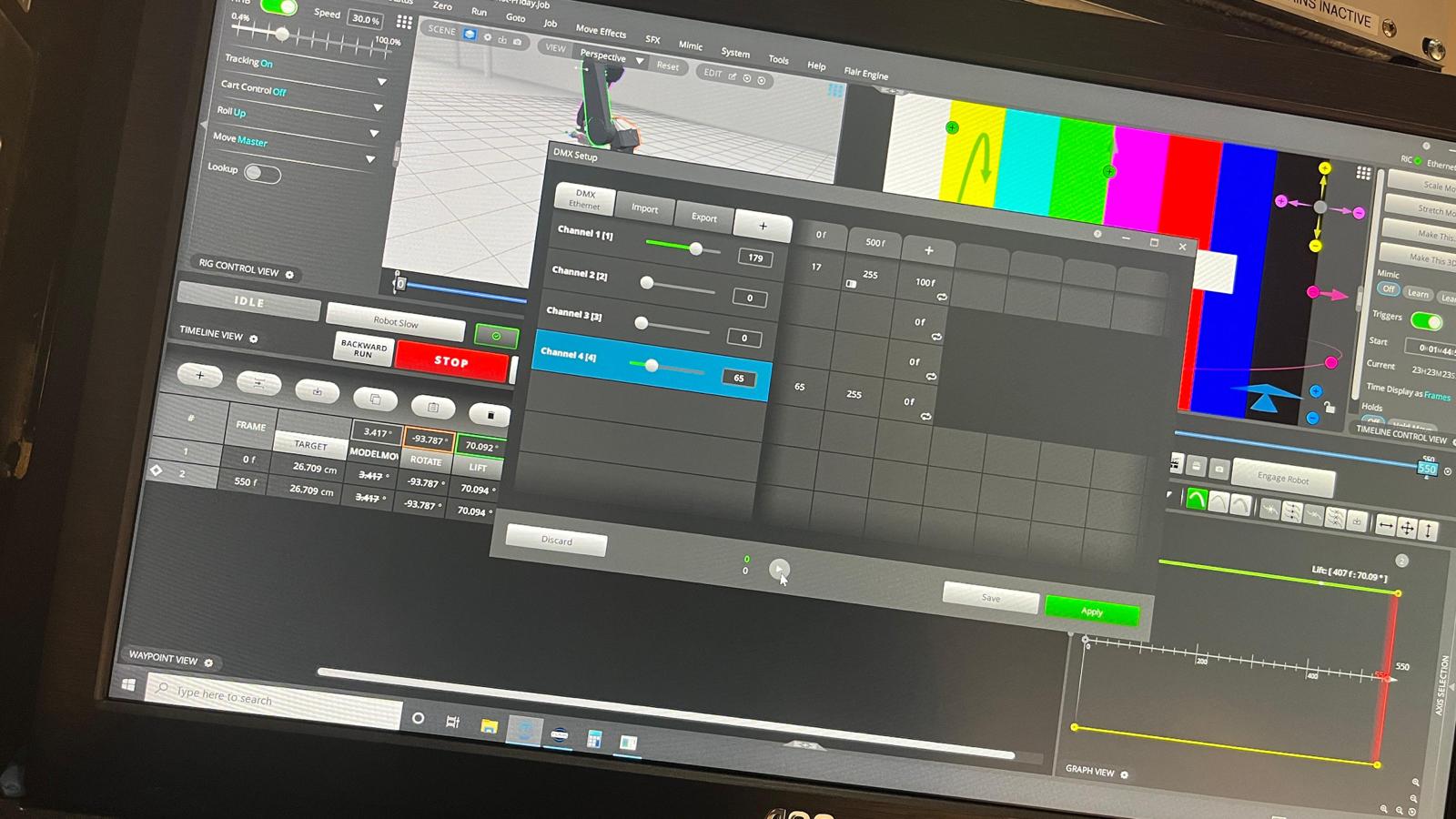
- Media 1: Visible UI text: DMX Setup, DMX Ethernet, Channel 1, Channel 2, Channel 3, Channel 4, Discard, Save, Apply, two zero values beside the play button.
- Media 2: Visible UI text: DMX Setup, DMX Ethernet, Channel 1, Channel 2, Channel 3, Channel 4, Channel 5, Discard, Save, Apply, play button,
0,0.
Media Text / Description
- Visible UI text: DMX Setup, DMX Ethernet, Import, Export, Channel 1 [1], Channel 2 [2], Channel 3 [3], Channel 4 [4], Channel 5 [5], Discard, Save, Apply.
- Visible UI text: two zero values beside the DMX preview/play button.
- Image description: Flair DMX Setup window where the operator could adjust channel values manually but the DMX move preview/run behavior appeared inactive.
WhatsApp Excerpts
- 2023-07-22 02:39 - Al: I finally got Flair to to all to my lights via the Enttec box. The light responsd to my settings adjustments but do not play when I run the move.
- 2023-07-22 02:39 - Al: And the "run dmx move" button does not do much. Also those two zero values beside that button never change, should I be able to change those, are they frame numbers?
- 2023-07-31 23:20 - Al: Anyone have any idea on why I can adjust my lights with the DMX, save and apply settings, and when I go to run the move the lights do not respond to the DMX settings.
- 2023-07-31 23:20 - Al: And also that "preview the DMX move" button, should those numbers both be zero, and it does not seem to do anything.
- 2023-07-31 23:25 - Gordon Eschke: preview DMX move not implemented yet, you need to run the move.
- 2024-07-25 02:38 - Jo Paloma: Flair will send dmx over artnet on universe 1 when running a move. The preview dmx hasn't worked for me.