ISSUE — Zoom Axis Trips Repeatedly With New Lens Setup
Summary
Zoom axis trips constantly after switching to a new lens, showing the error "Internal scale mismatch with display scale". The cause is incorrect zoom calibration or zeroing at the wrong end of lens travel after a lens swap. Recalibrating the zoom axis in Lens Setup and re-zeroing at the correct end resolves it.
Symptoms
- Zoom axis trips constantly with a new lens setup
- Tripping during zoom movement; sometimes causes focus axis to drop off as well
- Error message: "Internal scale mismatch with display scale"
- Focal length numbers show correctly when rolling zoom by hand with axis disengaged
Systems Affected
- Bolt (Anh Trung Hoang — confirmed)
- Applicable to all rigs with motor-driven lens
Software Environment
Lens axis issue — not UI-specific.
Possible Causes
- Incorrect zoom calibration for the new lens
- Zeroed at wrong end of lens travel
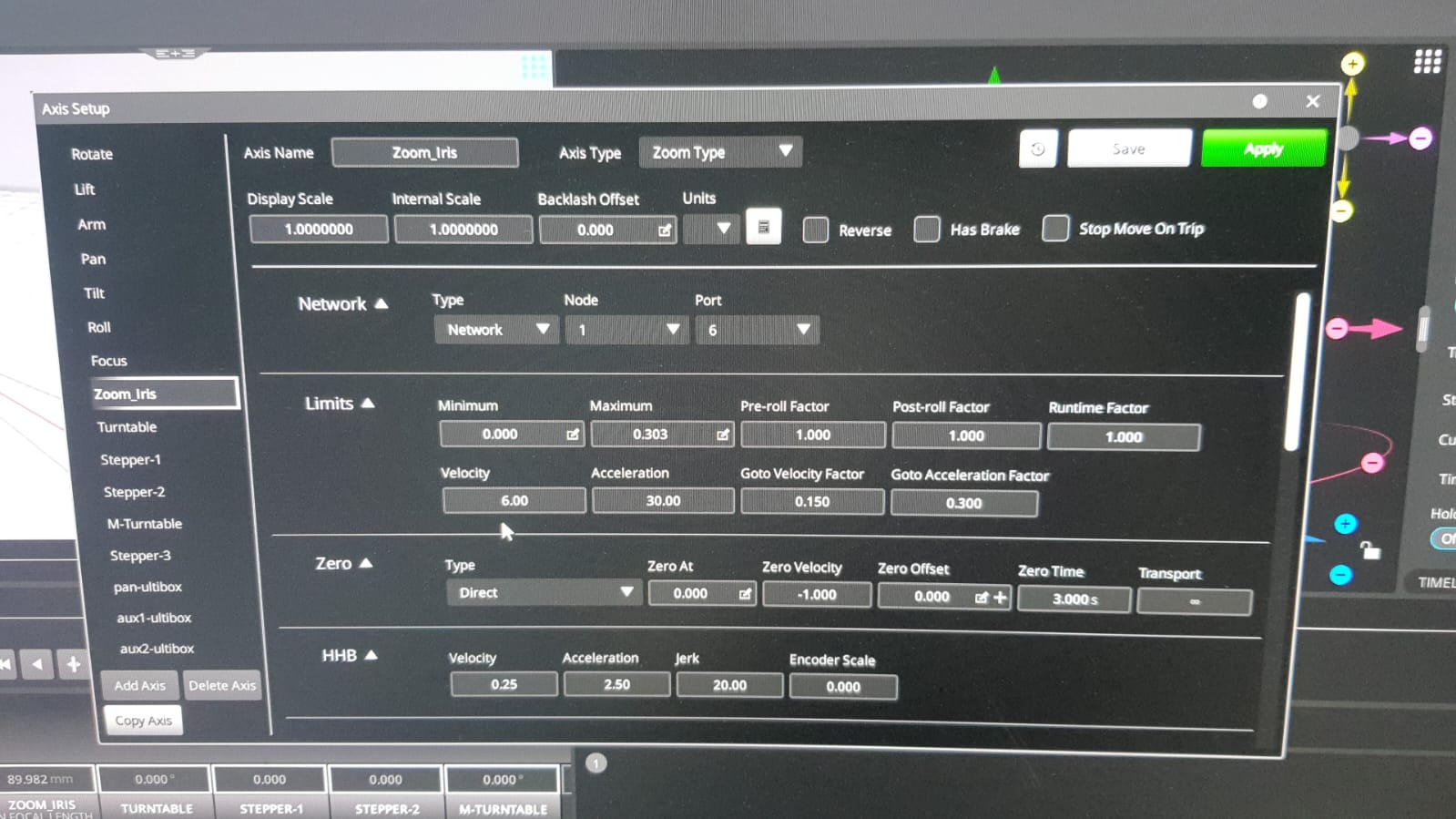
- Internal scale (encoder range) doesn't match the display scale after new lens setup
Solutions
Solution A — Recalibrate zoom axis and check zero end
Contributor(s): Tom D — 2024-03-04
Steps
- With zoom axis disengaged, roll the zoom ring by hand and verify correct focal length values appear in Flair.
- If focal lengths appear correct, the physical encoder/motor relationship is intact.
- Open Setups -> Axis Setup or the standard zeroing controls for the Zoom axis, then re-zero the zoom axis at the correct end of lens travel (confirm which end is the zero reference for this lens model).
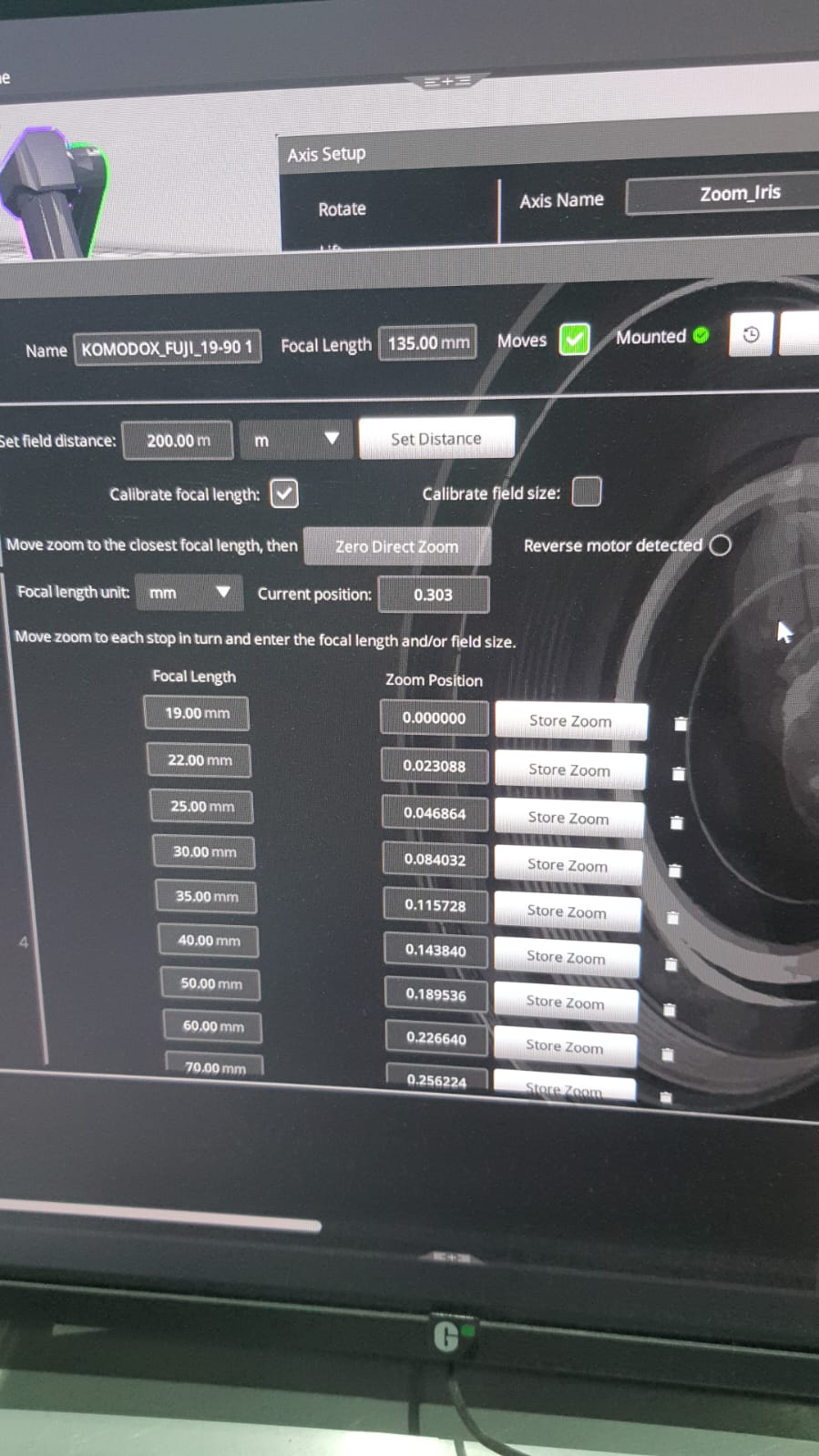
- Open Setups -> Lens Setup -> Zoom calibration and recalibrate the zoom axis mapping from scratch for this lens.
- After calibration, re-engage and test.
Notes
"Likely a fault somewhere in your lens setup — try calibrating the zoom portion of the lens again — and make sure you're zeroed at the correct end of your lens." — Tom D
The "Internal scale mismatch with display scale" error indicates the zoom calibration data no longer matches the current zero position. This is the characteristic symptom of zeroing at the wrong end after a lens swap.
Timeline
| Event | Date | Contributor |
|---|---|---|
| Reported + resolved | 2024-03-04 | ~ Anh Trung Hoang, Tom D |
Official Documentation
| Document | Section | Notes |
|---|---|---|
| Flair 7 Operator Manual - PDF p.57: Zoom Calibration / Zoom Linearisation | Lens setup / zoom calibration | Confirm zoom table and calibration workflow |
Related Media
Media Text / Description
- Media 1: Zoom axis error during new lens setup. Searchable visible/error text: Internal scale mismatch with display scale.
- Media 2: Zoom/focus may turn off during zoom movement even though focal length numbers appear correct when rolling zoom by hand.
WhatsApp Excerpts
[4/3/2024, 4:16:43 pm] ~ Anh Trung Hoang: Anybody has encountered Zoom axis tripped all of time?
[4/3/2024, 4:19:26 pm] ~ Anh Trung Hoang: Just a new lens.
[4/3/2024, 4:21:20 pm] Tom D: Likely a fault somewhere in your lens setup - try calibrating the zoom portion of the lens again - and make sure you're zeroed at the correct end of your lens.
[4/3/2024, 4:23:54 pm] ~ Anh Trung Hoang: It turns off when I roll Zoom, and sometimes causes focus off as well
[4/3/2024, 4:25:45 pm] ~ Anh Trung Hoang: If you roll the zoom by hand with the axis disengaged, do you get matching focal length numbers appearing in flair? — Yes, I get correct focal length
[4/3/2024, 4:29:32 pm] ~ Anh Trung Hoang: Before It shown Internal scale mismatch with display scale
Related Issues
- See also: Lens Calibration chapter
- See also: Zeroing chapter
Revision History
| Date | Change | Editor |
|---|---|---|
| 2026-05-24 | Initial extraction | Tom D / Claude Code |
| 2026-05-24 | Reformatted to CSS-tag template | Tom D / Claude Code |