Base Engages but Arm Does Not — Ethernet Card / Base Network Fault
Summary
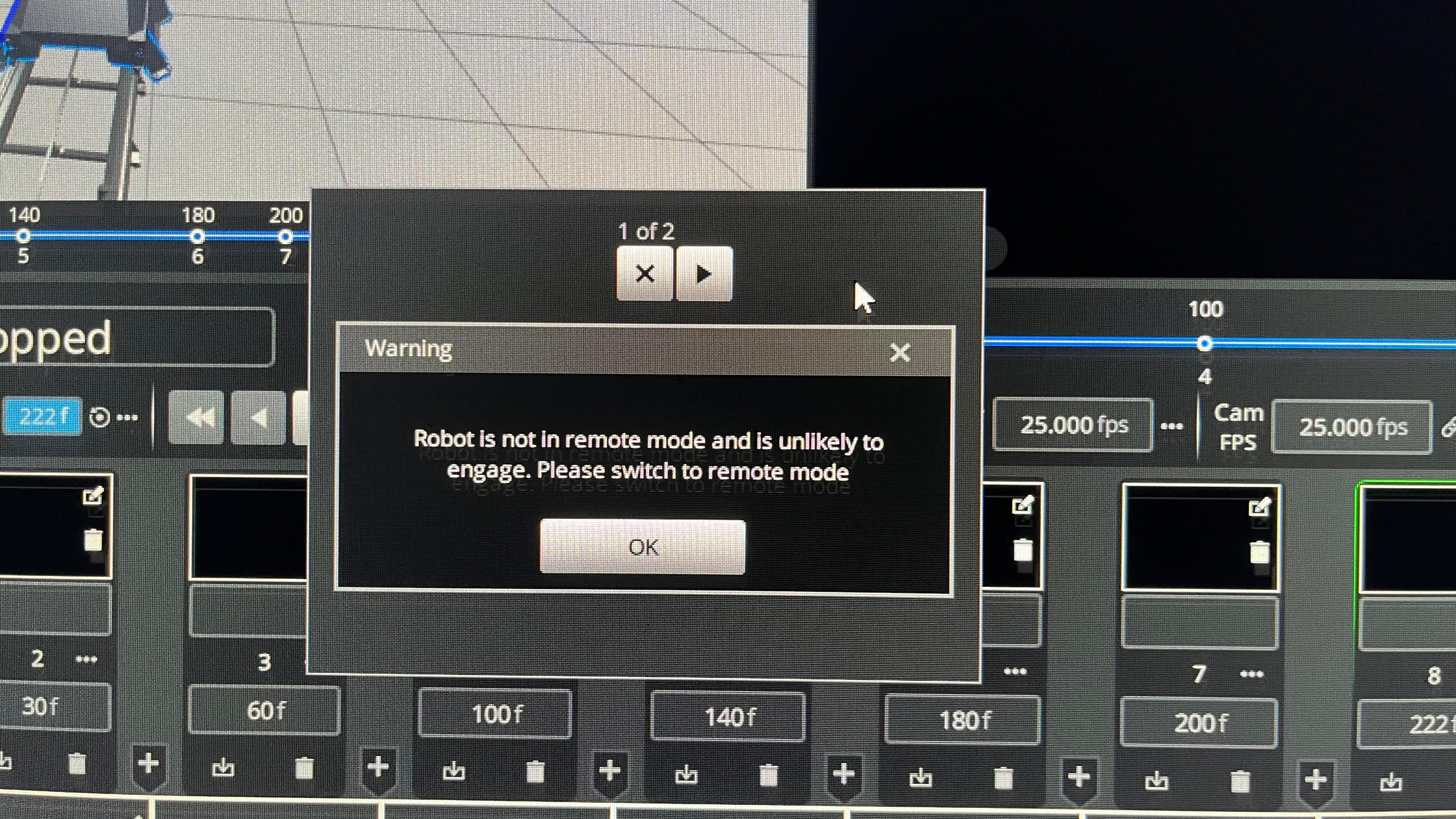
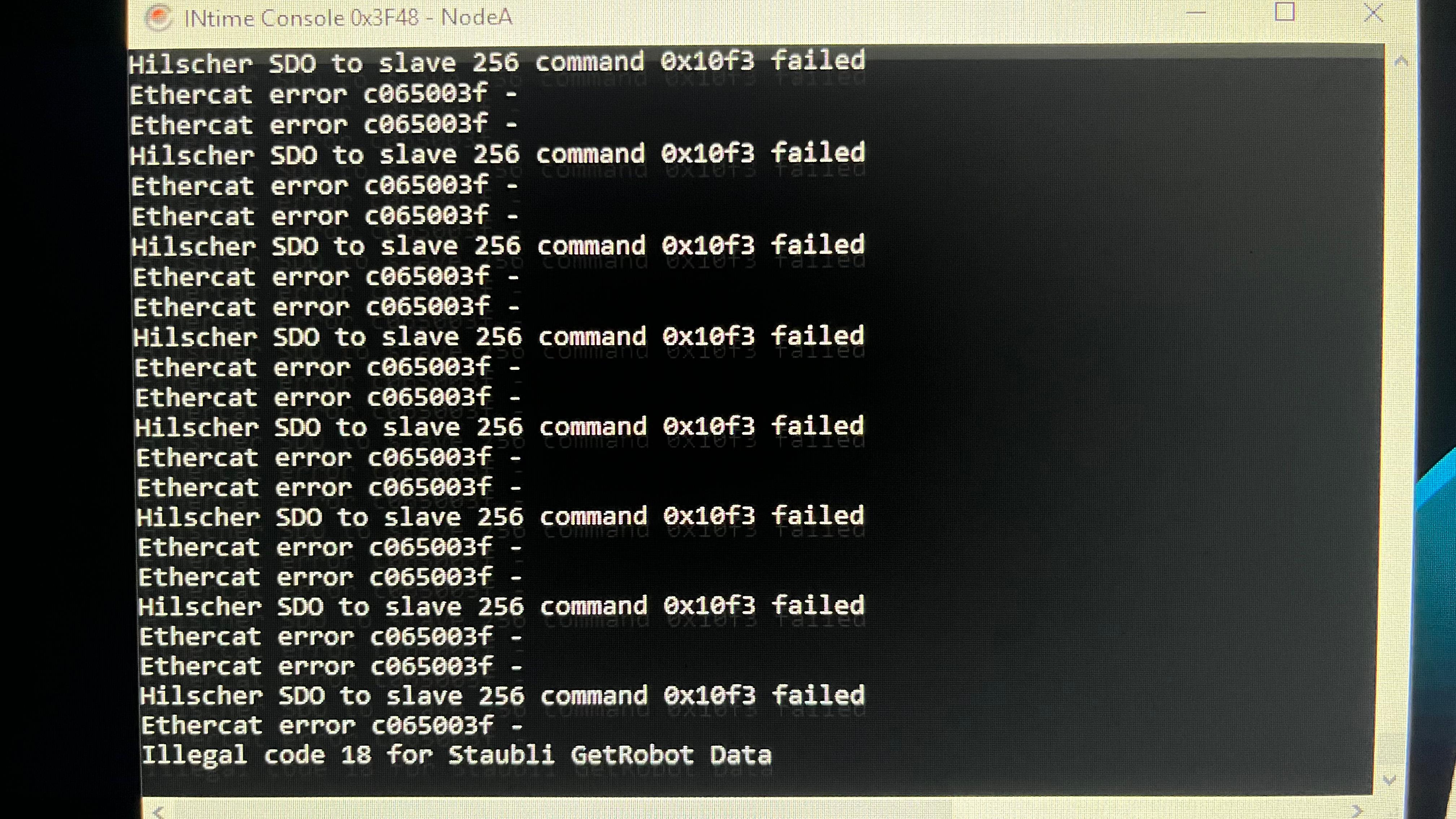
If the base engages but the arm does not after a popup/error, check the Ethernet path and base key/safety state. In the resolved case, the cause was the Ethernet card.
Symptoms
- Popup appears; after that, base still engages but arm does not.
- Robot does not fully come online.
- Ethernet or network-card fault is suspected.
Community Solution
[CONFIRMED] Check Ethernet cables, reboot, and inspect Ethernet card
2025-08-28 — Zeke Fajar / Arturo / Niko
- Check Ethernet cables.
- Reboot the system.
- Check the key on the base near the E-stop is in the correct position.
- If the problem remains, inspect/replace the Ethernet card or network interface.
The reporter confirmed: "Back online, it's the ethernet card."
confidence_score: 0.86
Related Media
Media Text / Description
- Image description: popup/error and hardware photos from a case where the base engaged but the arm did not; final resolution identified the Ethernet card/network interface.
- Media 1: Image description: popup/error and hardware photos from a case where the base engaged but the arm did not; final resolution identified the Ethernet card/network interface. Searchable terms: base engages arm does not; arm won't engage; ethernet card fault; base key near E-stop; robot not fully online.
- Media 2: Image description: popup/error and hardware photos from a case where the base engaged but the arm did not; final resolution identified the Ethernet card/network interface. Searchable terms: base engages arm does not; arm won't engage; ethernet card fault; base key near E-stop; robot not fully online.
WhatsApp Excerpts
[28/8/2025, 6:34:23 pm] ~ Zeke Fajar: Hi Guys, need some help here. Does anyone know how to resolve this? Since the text pop up, the base still engage but the arm dont.
[28/8/2025, 6:38:51 pm] ~ Zeke Fajar:
[28/8/2025, 6:40:38 pm] ~ Arturo: Check the Ethernet Cables and Reboot
[28/8/2025, 6:42:18 pm] ~ Niko: Check the key on the base close to the e-stop button, if it is in the right position
[28/8/2025, 10:44:09 pm] ~ Josh T.: Does anyone use this in 7?
[28/8/2025, 10:44:37 pm] ~ Josh T.: I am trying to slide the points and they are not moving.
[28/8/2025, 10:46:48 pm] ~ Stafford: Oh what are those Aux ..?
[28/8/2025, 10:47:15 pm] ~ Vinny: I didnt think Path speed was an option to adjust via points. Only Pos, Vel, Acc
[28/8/2025, 10:47:16 pm] ~ Stafford: Been using Aux but don't recognise those...
Related Issues
- See also: InTime Not Starting or Robot Not Found After Boot
- See also: EtherCAT "Network Communications Not Running" — Systematic Troubleshooting
- See also: E-Stop / Work-Cell / Key-Switch Chain Warning